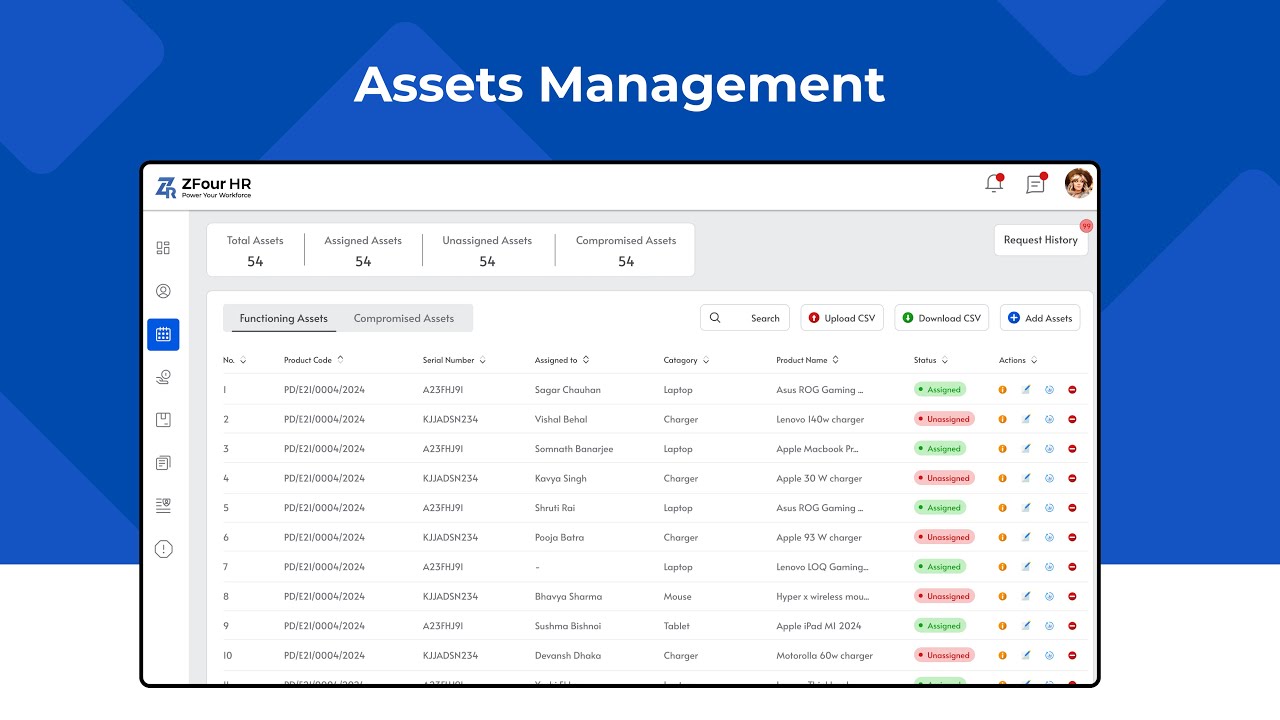
Keeping track of all the company assets — laptops, phones, office chairs, or even access cards — can be a real headache sometimes, right?
As an admin, you’ve probably had moments where you wondered, “Wait, who has that laptop?” or “Did we get that item back?”
That’s exactly where the Asset Management feature in the Admin Portal makes life easier.
Instead of juggling Excel sheets or sticky notes, you get a smart, organized system that does it all for you.
Easy Tracking Guide: What Is Asset Management in the Admin Portal?
Think of it as your digital storage room—an easy tracking guide where every company-owned item, big or small, is listed and monitored in one place. From assigning a laptop to a new employee to marking an old printer as returned, everything happens in just a few clicks.
No confusion. No missing items. Just clear, simple records.
Why It’s So Useful for Admins
The Asset Management tool isn’t just about storing data — it’s about making your day-to-day work smoother.
Here’s how it helps:
- You can see exactly who owns what
- Easily add new assets or mark them as returned
- Keep a digital record of every change
- Get quick reports when you need them for audits
- And most importantly, no more manual tracking!
It saves time, prevents errors, and keeps everything transparent for everyone.
What You Can Do Inside the Admin Portal
Here’s what your asset management section typically lets you do:
- Add New Assets: Got a new batch of laptops? Add them with their serial numbers, type, and vendor details.
- Assign Assets: When an employee joins, just select their name and assign the required items. That’s it!
- Track Assets Anytime: See what’s been issued, what’s available, and what’s due for return — all in real time.
- Manage Categories: Keep things organized — separate electronics, furniture, and accessories neatly.
- Download Reports: Need a quick overview? Generate reports in Excel or PDF format instantly.
How It Makes Admin Work Simpler
- You won’t lose track of company property anymore.
- You’ll have clear visibility into what’s being used.
- You can manage everything remotely — anytime, anywhere.
- You’ll spend less time searching and more time managing efficiently.
Basically, it helps you work smarter, not harder.
Ready to Simplify Your Work?
Managing office assets doesn’t have to be stressful.
With a smart admin portal like ZFour HRMS, you can handle everything in minutes — not hours.
Book a Demo today and see how effortless asset tracking can be!
Farheen
Senior HR & Payroll Subject Matter Expert
Certified HR Specialist & Payroll Compliance Expert with 10+ years in enterprise workforce management.