The User Calendar in ZFour HRMS: Your Ultimate Planning Tool
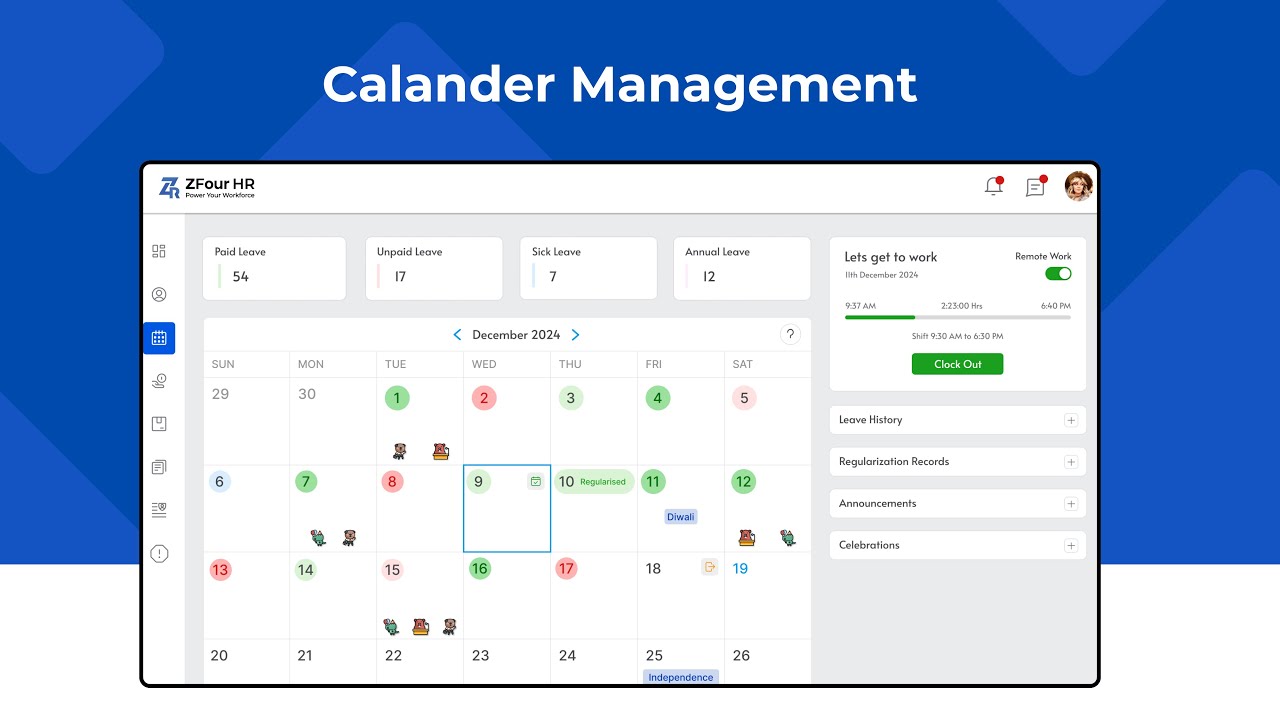
The User Calendar in ZFour HRMS is one of the most helpful tools for employees. It brings together your attendance, leaves, events, and important dates into one clean, organized view.
Whether you want to check your schedule, apply for leave, track attendance, or view upcoming celebrations—everything is available right inside the calendar.
This guide will walk you through each feature in the simplest, most humanized way possible so you can use the User Calendar confidently every day.
What Is the User Calendar in ZFour HRMS?
The User Calendar is your personal planning and attendance space inside the HRMS. It is designed to give you a complete picture of your work month. You can see your presence, absences, leave status, and days off, along with upcoming birthdays and work anniversaries. Instead of jumping between menus, the calendar lets you manage everything in one place.
Key Features of the User Calendar
Below are the features explained clearly based on your training content and calendar layout.
1. Daily, Weekly, and Monthly View
You can view your calendar in different formats depending on what you need:
- Daily view helps you check today’s attendance and tasks.
- Weekly view gives you a short summary of your entire week.
- Monthly view shows your full month with all your leaves, days off, and attendance status.
This flexibility helps you stay organized in the way you prefer.
2. Apply Leave Directly From the Calendar
One of the most useful features is the ability to apply for leave from the calendar itself. Simply click on the date you want to take leave, and you will get:
- Leave type selection
- Reason box
- Attachment upload option
- Submit button
No need to switch screens or search for the leave module.
3. Track Attendance and Clock-In/Out Records
Every date on the calendar shows your attendance details, such as:
- Punch-in time
- Punch-out time
- Total working hours
- Late or early marks
- Half-days
- Absences
- Leave markers
You can check your entire month’s attendance history without asking HR for details.
4. Check Birthdays, Work Anniversaries, and Company Events
The User Calendar also keeps you connected with your workplace. You can easily view:
- Team birthdays
- Work anniversaries
- Celebrations
- Company events
- Festive holidays
It helps you stay aware of important dates, team occasions, and HR updates.
5. Smooth Month-to-Month Navigation
The top bar allows you to move between months with a simple click. You can jump forward or backward to check:
- Past attendance
- Future holidays
- Upcoming events
- Leave planning
Navigation is smooth and effortless.
6. Filters for Specific Dates
The calendar includes filters so you can quickly find what you’re looking for:
- Only attendance days
- Only leave days
- Events
- Holidays
- Week-offs
These filters help you stay focused when you need specific information quickly.
Why the User Calendar Matters
The User Calendar makes daily work planning easy for every employee. It helps you:
- Stay aware of important dates
- Plan leaves smartly
- Understand your attendance clearly
- Keep track of events and celebrations
- Stay organized without confusion
Everything is available in one place, making the experience simple and stress-free.
How to Maximize Your Use of the User Calendar
Setting Reminders
To get the most out of your User Calendar, consider setting reminders for important dates. This feature ensures you never miss a deadline or celebration. You can set reminders for:
- Upcoming leave
- Important meetings
- Team events
Regularly Check Your Attendance
Make it a habit to check your attendance regularly. This practice helps you stay informed about your working hours and any discrepancies. If you notice any issues, you can address them promptly with HR.
Engage with Your Team
Use the calendar to engage with your team. Acknowledge birthdays and work anniversaries. This engagement fosters a positive work environment and strengthens team bonds.
Plan Ahead
Use the monthly view to plan your leaves and work commitments. By visualizing your month, you can avoid scheduling conflicts and ensure a balanced workload.
Stay Updated with Company Events
Keep an eye on company events and celebrations. Participating in these activities can enhance your workplace experience and help you connect with colleagues.
Conclusion
The User Calendar in ZFour HRMS is more than just a schedule viewer — it’s a complete planning tool. From attendance tracking to leave management, events, and celebrations, it keeps employees informed and prepared throughout the month.
If you want to stay organized and never miss an important date, the User Calendar is your go-to place. Explore your User Calendar today and discover how simple it is to manage your schedule, track your attendance, and stay updated with all important events in your organization. It’s your everyday companion inside ZFour HRMS.