How to Apply for Leave in ZFour HRMS Mobile Application
Applying for leave through the ZFour HRMS mobile application is simple, fast, and fully automated.
Whether you need a short break or extended time off, the app allows you to submit your leave request in just a few clicks.
This guide explains how to apply for leave using the ZFour HRMS mobile app, along with high-search keywords to help your content rank better.
Why ZFour HRMS Makes Leave Management Easier
ZFour HRMS streamlines the entire leave request and approval process. Employees can apply for leave directly from their mobile phones, track approval status, and monitor leave balances without needing HR intervention.
This makes it one of the most efficient leave management systems for modern workplaces.
Step-by-Step Process to Apply for Leave in ZFour HRMS
Step 1: Open the Dashboard
Log in to the ZFour HRMS mobile application using your registered credentials. Once logged in, the dashboard will display important options like attendance, payroll, and leave management.
Step 2: Select the Apply Leave Option
On the main dashboard, look for the function section. Tap on "Apply Leave" to open the leave application form.
Step 3: Complete the Leave Application Form
The form will ask for key details such as:
- Leave Type (Casual Leave, Sick Leave, Earned Leave, etc.)
- From Date and To Date
- Reason for Leave
- Additional notes if required
Make sure all details are accurate and complete before submitting.
Step 4: Submit Your Leave Request
After reviewing your information, tap on the Apply button. Your leave request will be sent directly to your reporting manager or approver through the HRMS workflow.
How to Check Your Leave Status in ZFour HRMS
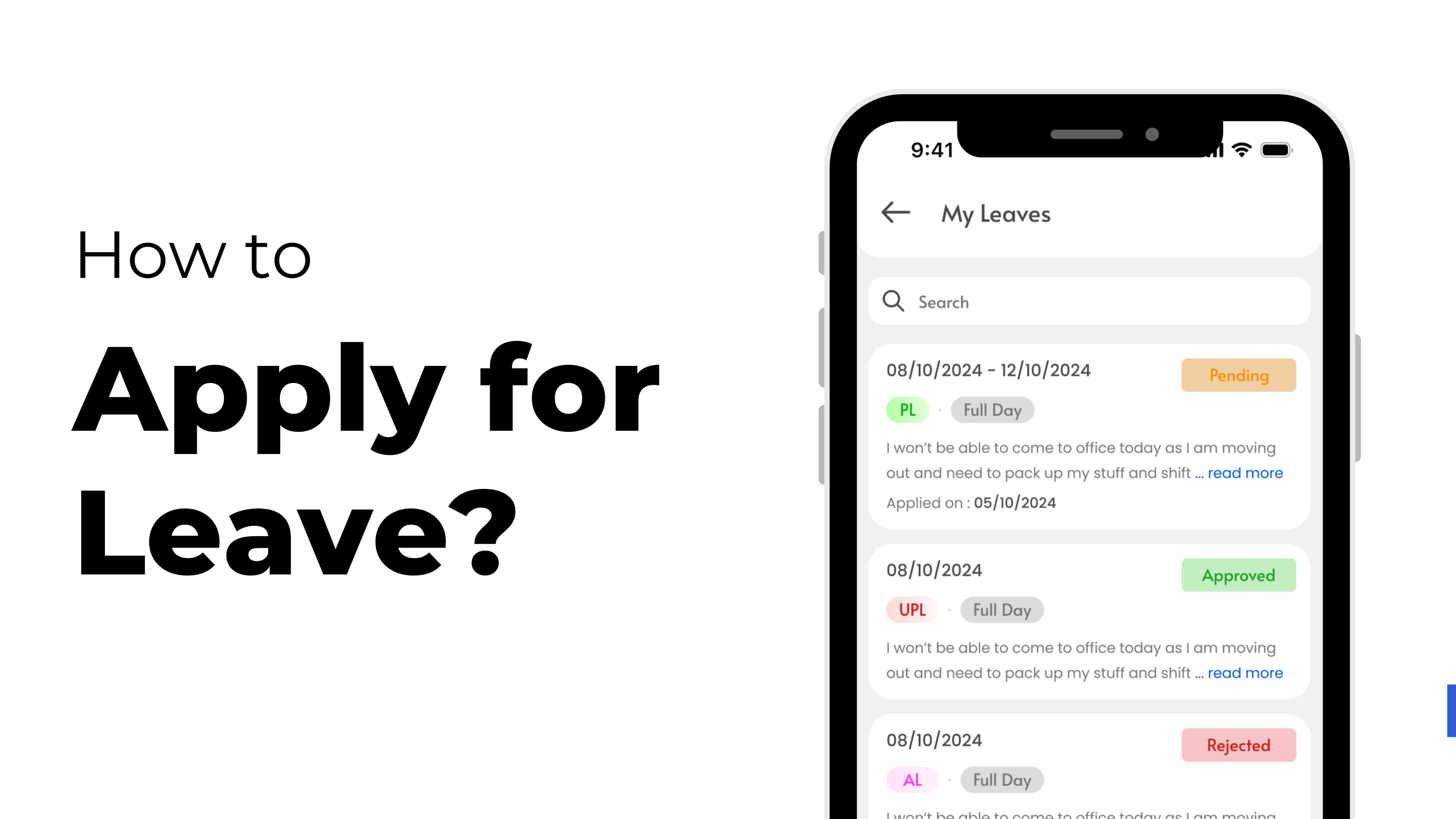
You can track your leave status at any time using the My Leaves or Leave Status section of the app. This page shows whether your leave request is pending, approved, or rejected and also includes the date of application and remarks from the manager.
Benefits of Applying for Leave Through ZFour HRMS
- Easy and paperless leave management
- Quick approval process
- Real-time leave balance tracking
- Transparent communication between employee and manager
- Mobile-friendly workflow
- Integrated with attendance and payroll modules
Conclusion
ZFour HRMS provides a smooth and efficient way for employees to apply for leave directly from their mobile devices.
With automated workflows, fast approvals, and real-time tracking, it simplifies employee leave management and enhances workplace productivity.