 4 min read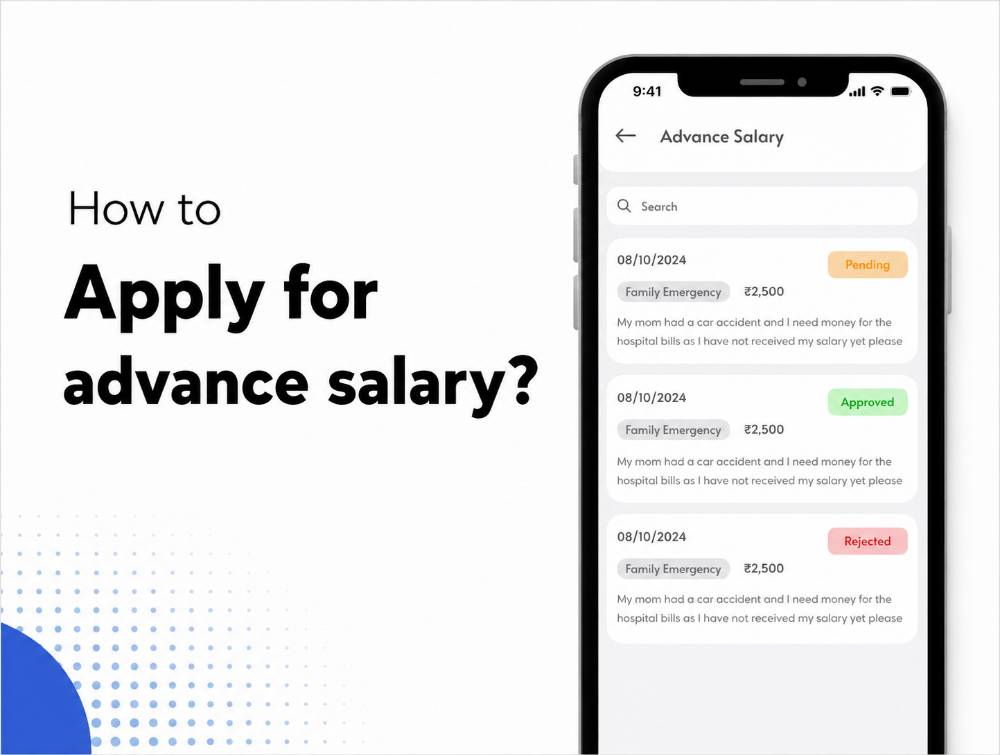
Unexpected expenses — a medical emergency, a family function, an urgent personal need — don't always wait for the next payday. An advance salary request lets employees access part of their upcoming salary early, without needing to ask HR informally or wait for an off-cycle exception to be approved manually.
This guide explains how to request an advance salary in ZFour HRMS, what information you need to provide, how the approval and deduction process works, and what to do if a request is rejected or delayed.
Quick Answer: How Do I Request Advance Salary in ZFour HRMS?
Log in to your ZFour HRMS account.
Open the Payroll or Salary section, then select Advance Salary Request.
Tap Add New Request.
Enter the requested amount, purpose, and repayment or deduction details.
Submit the request for approval.
Track the status from the same section.
The exact fields, approval workflow, and eligibility rules depend on your organization's configuration.
What Is an Advance Salary Request?
An advance salary request allows an employee to receive a portion of their upcoming salary before the regular payday, typically to cover an urgent expense. The requested amount is generally deducted from a future salary cycle according to the repayment terms agreed at the time of approval.
Eligibility, maximum request amounts, and how often an employee can request an advance are determined by company policy, not by the HRMS platform itself — ZFour HRMS provides the workflow for submitting and tracking the request, but the underlying rules come from your organization. In India, the recovery of salary advances through wage deductions is also governed by the Payment of Wages Act, 1936, which specifies which types of deductions are legally permitted from an employee's wages.
How to Submit an Advance Salary Request in ZFour HRMS
Step 1: Log In to ZFour HRMS
Log in with your registered credentials and reach your employee dashboard.
Step 2: Open the Advance Salary Section
From the main menu, open Payroll or Salary, then select Advance Salary Request.
Step 3: Enter the Request Details
Tap Add New Request and provide:
Requested amount
Purpose or reason for the request
Repayment duration or deduction preference, where applicable
Step 4: Submit for Approval
Review the details for accuracy, then submit. The request is routed to your reporting manager or HR for review according to your organization's configured workflow.
Step 5: Track the Status
Check the same section anytime to see whether your request is Pending, Approved, Rejected, or Processed.
What Happens After You Submit a Request?
Submitting an advance salary request doesn't guarantee approval. A typical workflow looks like:
Employee submits request → Manager/HR reviews → Request approved or rejected → Approved amount disbursed → Deduction applied in a future payroll cycle
If the Request Is Approved
The approved amount is processed according to your organization's payroll and disbursement schedule, and the agreed deduction is applied to a future salary cycle.
If the Request Is Rejected
Check any available remarks. Common reasons include exceeding a policy limit, insufficient eligibility (e.g., tenure requirements), or an already-pending request. Contact HR if clarification is needed.
If the Request Is Still Pending
A pending status means the approver hasn't completed their review yet. Check your organization's typical turnaround time before following up.
Advance Salary Request vs. Reimbursement: What's the Difference?
These two payroll-related requests are sometimes confused, but they serve different purposes.
Area | Advance Salary Request | Reimbursement Request |
|---|---|---|
Purpose | Access part of upcoming salary early | Recover money already spent on business expenses |
Repayment | Deducted from a future salary cycle | Not a repayment — it's a claim for money owed |
Typical use case | Emergency or personal financial need | Travel, client meetings, work supplies |
Approval basis | Company advance-salary policy and eligibility | Expense policy and documentation |
If you're looking to recover a work-related expense rather than access salary early, see how to request reimbursement in ZFour HRMS.
Common Problems When Requesting an Advance Salary
The Advance Salary option isn't visible.
This can happen if the feature isn't enabled for your account, or if your organization doesn't offer advance salary requests as a policy. Check with HR or your system administrator.
Request has been pending for a long time.
Confirm whether this falls within your organization's normal approval timeframe before following up with your manager or HR.
Request was rejected without a clear reason.
Contact HR directly to understand whether the rejection relates to policy limits, eligibility, or another factor.
Deduction amount looks different than expected.
Review the repayment terms you selected at submission, and check with HR or payroll if the deducted amount doesn't match what was approved.
Best Practices for Requesting an Advance Salary
Understand your company's policy before requesting.
Confirm eligibility rules, maximum request amounts, and how frequently advances can be requested, so you're not surprised by a rejection.
Be specific about the amount and purpose.
A clear, specific request is easier for an approver to evaluate quickly than a vague one.
Understand the repayment terms before submitting.
Know how and when the deduction will be applied so it doesn't come as a surprise in a future payslip.
Use it for genuine need, not as routine budgeting.
Advance salary is generally intended for unexpected circumstances — frequent requests may raise questions or affect future eligibility, depending on company policy.
Final Thoughts
Requesting an advance salary in ZFour HRMS follows a straightforward digital process: submit the amount and reason, get it reviewed, and track the outcome — without needing to email HR or fill out a paper form. The actual approval still depends entirely on your organization's policy and the approver's review, not on the platform itself.
Need help with an advance salary request or another payroll question?
Contact your HR team, or explore ZFour HRMS to see how payroll-related requests connect with the broader HR workflow.

Farheen Ahmed
HR Tech Content Strategist at ZFour Technology Private Limited
Research-driven content on HRMS, payroll, attendance management, employee management, and modern HR technology for Indian businesses.


