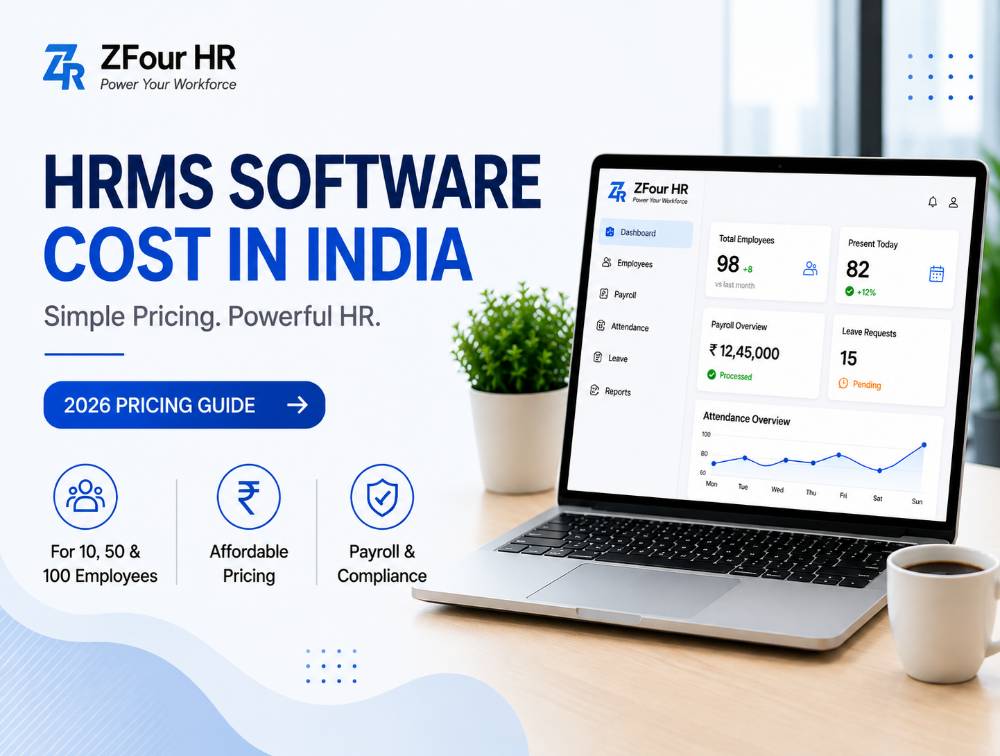
Best HRMS Pricing14 min read200 views

HRMS Software Price in India 2026: Best Plans for Businesses

Explore the HRMS Software Price in India for 2026. Discover plans, costs, and insights to choose the best HRMS software for your business needs.

F

Author

Farheen Ahmed

Last Update

20 April 2026

HRMS Software Price in India 2026: Best Plans for Businesses

Quick Answer

HRMS software cost in India typically starts around ₹999/month for very small startup plans and can extend beyond ₹40,000/month for growing and enterprise businesses — these are indicative market ranges, not a fixed price list, since final cost depends on employee count, payroll complexity, modules required, and support level. A 10-person startup usually needs only core payroll and attendance, while a 100-employee company typically requires compliance automation, multi-location support, and analytics — which shifts pricing into a custom-quote tier.


Key Takeaways

  • HRMS pricing depends primarily on employee count, payroll complexity, module selection, and implementation scope — not a single fixed market rate.

  • Vendors typically price per employee per month, as flat monthly plans, as annual subscriptions, or via custom enterprise quotes.

  • The headline price rarely reflects total cost — setup fees, training, data migration, and integrations can meaningfully change the real first-year number.

  • Manual HR processes carry their own hidden cost in time, errors, and compliance risk, which should be weighed against software pricing, not ignored.

  • Always ask vendors for the total first-year cost, not just the advertised monthly rate.


What Is HRMS Software?

Definition: HRMS (Human Resource Management System) is software that manages employee operations — payroll, attendance, leave, and compliance — from a single platform, replacing a patchwork of spreadsheets, registers, and manual approvals.

Most HRMS platforms include:

  • Payroll processing

  • Attendance tracking

  • Leave management

  • Employee database

  • Shift scheduling

  • Onboarding workflows

  • Reports and dashboards

  • Compliance support

  • Employee self-service portal

Instead of managing HR through multiple disconnected tools, an HRMS creates one organized system that HR, finance, and employees all draw from.


How Much Does HRMS Software Cost in India?

There is no single market price for HRMS software — cost depends on employee count, payroll needs, feature depth, support level, and customization. Most vendors use one of four pricing models: per-employee-per-month, flat monthly plans, annual subscriptions, or custom enterprise pricing.

Why it matters: understanding which model a vendor uses — and what's actually included at each tier — matters more than comparing headline numbers across vendors, since a low per-employee rate can still add up to a higher total cost once modules and add-ons are included.

Pricing snapshot by team size:

Employee Size

Typical Need

Common Pricing Style

10 employees

Basic payroll + attendance + leave

Starter monthly plan

50 employees

Payroll + workflows + reports

Per-employee or business package

100 employees

Automation + compliance + multi-location

Custom quote

Indicative HRMS pricing by business size (2026 market ranges):

The ranges below reflect typical market pricing patterns seen across Indian HRMS vendors, not a confirmed price list for any specific product. Always request current, exact pricing directly from a vendor before budgeting.

Business Size

Employees

Typical Monthly Range

Startup

1–25

₹999 – ₹3,999

Small Business

26–100

₹3,000 – ₹12,000

Mid-Size Company

101–500

₹10,000 – ₹40,000

Enterprise

500+

Custom pricing

The right price within these ranges depends on which features, support level, and integrations you actually need — not just headcount alone.

Get Started Today →


HRMS Pricing Models Explained

Understanding how vendors structure pricing helps you compare offers on equal footing.

Per-employee-per-month pricing scales directly with headcount, which makes budgeting predictable but can get expensive quickly for larger teams unless volume discounts apply.

Example: if a vendor charges ₹70 per employee per month and you have 50 employees, that works out to roughly ₹3,500/month — a simple calculation worth running for any per-employee quote before comparing it to a flat-plan alternative.

Flat monthly plans charge a fixed rate for a bracket of employees (e.g., "up to 50 users"), which works well for stable teams but can mean paying for unused capacity if headcount is on the lower end of the bracket.

Annual subscriptions typically offer a discount over monthly billing in exchange for upfront commitment, and often include better support tiers.

Custom enterprise pricing applies once a company needs multi-location support, deep integrations, or dedicated implementation — common territory once headcount crosses roughly 100.

Who should use which model? Startups testing a platform typically prefer monthly or per-employee pricing for flexibility; stable, growing SMEs often get better long-term value from annual plans; larger organizations should expect and negotiate custom pricing rather than trying to fit into a standard tier.


HRMS Cost by Team Size (10, 50, 100 Employees)

HRMS for 10 Employees

Small teams generally need simplicity over depth.

Common priorities: salary processing, attendance records, leave requests, and centralized employee data storage.

Best approach: choose affordable software with fast onboarding and minimal admin overhead — complexity you don't need yet just slows down setup.

Ideal for: startups, agencies, clinics, and small offices.

HRMS for 50 Employees

At 50 employees, operations usually become more structured, and the cost of getting payroll wrong grows with headcount.

Common priorities: payroll accuracy, shift handling, approval hierarchies, reporting, leave policy automation, and basic compliance processes.

Best approach: choose scalable software that can grow with the company rather than requiring a platform switch at the next growth stage.

Ideal for: SMEs, retail chains, growing service businesses, and multi-department teams.

HRMS for 100 Employees

Once a company crosses roughly 100 employees, manual HR processes typically become genuinely expensive and inefficient to maintain.

Common priorities: multi-branch attendance, department-level workflows, advanced payroll, compliance management, employee lifecycle automation, and dashboards.

Best approach: a robust HRMS with strong support, automation, and reporting — this is where custom enterprise pricing usually becomes the norm rather than the exception.

Ideal for: mid-size companies, factories, warehouses, and multi-location businesses.

Talk to an HR Expert →


What Affects HRMS Software Pricing

Several factors influence the total cost of an HRMS beyond simple headcount:

1. Employee count. Larger teams typically move into higher pricing tiers or custom quotes.

2. Payroll complexity. Businesses managing overtime, bonuses, variable pay, contractors, or multi-state payroll usually need stronger (and pricier) payroll systems.

3. Attendance features. Advanced tools like biometric sync, GPS attendance, shift rostering, and geo-fencing can affect pricing tiers.

4. Leave management complexity. Multi-level approval chains or complex leave policies can push a business into a higher plan.

5. Compliance needs. PF, ESI, TDS, payslip generation, and statutory workflows add real business value — businesses should stay current through the EPFO official portal and the ESIC official portal regardless of which vendor they choose.

6. Mobile app access. Employee self-service apps are often bundled only into higher-tier plans.

7. Customization. Custom workflows, branding, or approval logic frequently carry additional cost.

8. Support quality. Dedicated onboarding managers or premium SLAs affect price meaningfully.

9. Implementation scope. Large data imports and complex multi-department setups may involve one-time charges beyond the subscription fee.


Monthly vs Annual HRMS Pricing: Which Is Better?

Factor

Monthly Plan

Annual Plan

Upfront cost

Lower

Higher

Flexibility

Strong

Moderate

Long-term value

Moderate

Often better

Good for startups

Yes

Sometimes

Best for stable teams

Good

Excellent

Choose monthly if: your team size may change soon, you're still testing the software, or you want to minimize upfront commitment.

Choose annual if: your team size is stable, you want better overall value, and you're planning long-term usage rather than a short-term trial.


Hidden Costs to Check Before Buying

Low headline pricing doesn't always mean low total cost. Ask vendors about each of these before signing:

  • Setup fees — initial onboarding or configuration charges

  • Training costs — sessions for HR and admin teams

  • Data migration — moving old records from Excel or a legacy system

  • Integrations — connecting biometric devices, ERP, accounting tools, or CRM systems

  • Premium support — dedicated account managers or faster response SLAs

Pro tip: always ask vendors for the total first-year cost, not just the advertised monthly price — that single question surfaces most hidden fees upfront.

Book a Consultation →


Cheap HRMS vs Best-Value HRMS

Many businesses buy the cheapest available tool first, then run into problems later: hidden charges, slow support, payroll issues, a clunky interface, no real scalability, and extra fees that appear only after onboarding.

Two businessmen in suits stand near a chart. One presents data with a smile. Trophy icon above signifies success. Blue background.

The smarter question isn't "what's cheapest?" It's "which HRMS saves more money long-term?" — a genuinely different question, since a low sticker price that requires a platform switch in a year costs more overall than a slightly higher price that scales cleanly.

Choosing the wrong HRMS can create:

  • Payroll errors that reduce employee trust

  • Compliance risk — late filings can lead to real penalties

  • HR team burnout from manual workarounds the software should have eliminated

  • Employee frustration from clunky leave and attendance systems

  • Growth delays when a weak system breaks under hiring pressure


Free HRMS vs Paid HRMS

Free HRMS may work if: your team is very small, your attendance needs are basic, or you're setting up something genuinely temporary.

Paid HRMS is the better choice if: payroll accuracy matters, compliance is a real obligation, your team is growing, you need responsive support, or scalability is part of your near-term plan.

For most serious, growing businesses, paid HRMS offers meaningfully better long-term value than a free tier's limited feature set — the free option tends to work only until the first compliance deadline or payroll dispute exposes its limits.


Manual HR Cost vs HRMS Cost

Many businesses compare software fees closely but overlook the hidden cost of staying manual.

Task

Manual Cost

HRMS Benefit

Attendance tracking

Daily admin effort

Automated records

Payroll processing

Repetitive monthly work

Faster salary runs

Leave approvals

Delays and follow-ups

Instant workflow

Employee records

Risk of misplaced data

Centralized storage

Reports

Manual spreadsheet effort

One-click dashboards

Compliance tasks

Higher error risk

Better control and audit trail

Why it matters: the real comparison isn't "software cost vs zero cost" — it's software cost vs the fully-loaded cost of the manual time, errors, and risk it replaces.


Real ROI of HRMS

Businesses adopting HRMS typically gain:

  • Time savings across HR and finance teams

  • Fewer payroll mistakes and corrections

  • Faster leave and expense approvals

  • Better, more consistent reporting

  • Lower day-to-day dependency on manual HR admin

These gains compound over time — a platform that saves even a few HR-hours per week adds up to a meaningful chunk of a full-time role's capacity across a year, capacity that can be redirected toward recruitment, engagement, or workforce planning instead of data entry.

Illustrative ROI example: the figures below are a simplified example to show the method, not a verified statistic from a specific company. Suppose one HR executive spends roughly 25 hours a month on manual payroll and attendance work.

That time, once reclaimed through automation, could instead go toward hiring, employee engagement, performance improvement, or retention initiatives — work with a meaningfully higher return than repetitive data entry. Run this same estimate with your own team's actual hours to see what automation is realistically worth for your business.

Illustrative Scenario

Example

HR executive

1

Manual payroll & attendance

~25 hours/month

Time after automation

Redirected to strategic HR initiatives

Business impact

Higher productivity and better use of HR resources


HRMS Pricing by Industry

Different industries lean on different features, which can shift where they land within a given pricing tier:

  • Retail businesses need shift scheduling and multi-location attendance management, which can push pricing toward mid-tier plans even at moderate headcount.

  • Manufacturing units need overtime tracking and compliance tools, often paired with biometric integration.

  • IT companies typically need remote/hybrid attendance tracking and performance management tools rather than heavy shift-based features.

  • Healthcare organizations need shift rotation, role-based permissions, and workforce planning, often at a higher compliance bar than other sectors.

Why it matters: two companies with identical headcount can land in different price brackets depending on which of these industry-specific features they actually need — pricing isn't purely a function of employee count.


Best HRMS Software Options by Budget in India

Companies typically compare a handful of platforms depending on size and goals:

ZFour HRMS is a practical option for growing businesses seeking payroll, attendance, and people management together in one system, with pricing generally positioned for startups and SMEs rather than large enterprise budgets.

Keka is known for broader HR workflows and is commonly used by mid-size companies wanting performance management bundled with payroll.

greytHR is popular among SMEs specifically for payroll and statutory compliance workflows, often at a lower entry price point.

Zoho People is a natural fit for companies already using other Zoho products, given the tight ecosystem integration.

Darwinbox is more often considered by larger organizations needing deep customization and enterprise-scale HR workflows.

Who should use which option? Keka for mid-market companies prioritizing performance management; greytHR for budget-conscious SMEs; Zoho People for Zoho-native businesses; Darwinbox for large enterprises; ZFour for growing SMEs that want payroll, attendance, and compliance together without enterprise-level pricing.


ZFour HRMS vs Traditional HR Software

Capability

Traditional / Spreadsheet-Based HR

ZFour HRMS

Payroll processing

Manual, error-prone

Automated, rule-based

Attendance integration

Separate system or manual logs

Native sync

Compliance (PF/ESI/TDS)

Manually tracked

Automated calculation and reporting

Employee self-service

Limited or none

Full ESS: payslips, leave, tax documents

Scalability

Requires rework as team grows

Built to scale with headcount

Pricing transparency

Often bundled into general admin cost

Clear per-employee or custom pricing

Why growing businesses choose ZFour: reliable pricing, payroll and attendance handled together, easy employee data management, scalable workflows, and a support-focused onboarding experience — all positioned for companies that have outgrown spreadsheets but aren't ready for enterprise-tier pricing.

Request a Free Demo of ZFour HRMS →


How to Choose the Right HRMS Based on Budget

Small budget — choose:

  • Core payroll

  • Attendance

  • Leave management

  • Easy setup

Medium budget — choose:

  • Reporting

  • Compliance workflows

  • Mobile app access

  • Approval automation

Higher budget — choose:

  • Multi-location tools

  • Advanced dashboards

  • Deep integrations

  • Custom workflows

  • Dedicated support

Decision checklist — always ask vendors:

  1. Is pricing per employee or a flat fee?

  2. Is payroll included, or a separate add-on?

  3. Are there setup charges?

  4. How long does onboarding typically take?

  5. Can the platform scale smoothly after hiring growth?

For a general sense of where your business might land, ZFour's own pricing plans and HR calculators are useful starting references before requesting a custom quote.

Which HRMS should you choose?

  • Choose a basic plan if: your team is under 20 people, manual processes are still manageable, and budget is genuinely limited.

  • Choose a growth-tier HRMS if: your team is expanding, payroll is taking longer than it should, errors are increasing, or you need better reporting than a spreadsheet can offer.

  • Choose a scalable HRMS (like ZFour) if: you want long-term growth, reliable payroll, better operational control, and a future-ready HR system rather than something you'll outgrow within a year.


Implementation Roadmap

A typical HRMS rollout, regardless of vendor, follows a similar sequence:

  1. Audit current HR data — employee records, salary structures, attendance history, and existing compliance filings.

  2. Shortlist 2–3 vendors based on your budget tier and required modules, and request live demos rather than relying on pricing pages alone.

  3. Request a detailed, itemized quote covering subscription cost, setup fees, training, and any integration charges.

  4. Run a parallel cycle — process one payroll or attendance cycle on both the old and new system to catch discrepancies early.

  5. Migrate historical data, including leave balances and past payslip records.

  6. Train HR, finance, and managers on approval workflows and self-service features.

  7. Go live, reviewing the first two or three cycles closely before extending automation to reporting and analytics.

Most SME-focused platforms can complete this sequence within one to two weeks; larger, multi-department rollouts naturally take longer.


Expert Tips for Negotiating HRMS Pricing

  • Request the total first-year cost in writing, not just the monthly or per-employee headline rate.

  • Ask what happens at renewal — some vendors offer a lower first-year rate that increases significantly afterward.

  • Negotiate implementation support, not just the subscription price — a smoother onboarding often matters more than a small discount.

  • Clarify what counts as an "employee" for per-employee pricing — some vendors bill for all profiles created, including inactive or exited employees, unless configured otherwise.

  • Ask about minimum contract terms before committing to an annual plan, especially if your headcount is likely to change soon.


Common Mistakes When Evaluating HRMS Cost

  • Comparing only the headline monthly price without checking what's included

  • Ignoring setup, training, and data migration costs until after signing

  • Choosing a plan sized for current headcount without room for near-term hiring

  • Assuming the cheapest option is the best value once hidden costs are included

  • Delaying HRMS adoption to save money, while absorbing the larger hidden cost of manual HR work in the meantime


Industry Insights on HR Technology Spending

Broader workforce technology research consistently supports treating HRMS as a strategic investment rather than a pure cost center. Analysts at Gartner and Deloitte have both highlighted automation and process efficiency as recurring drivers of long-term HR technology ROI, while SHRM has pointed to payroll and compliance errors as among the most common and costly operational risks for growing organizations.

This broadly supports the "total cost of ownership" framing used throughout this guide — the sticker price is only part of the real cost comparison.


Future of HRMS Pricing in India

HRMS pricing in India is likely to continue evolving alongside broader SaaS and AI trends, a shift also tracked by NASSCOM in its coverage of India's technology sector. Businesses can expect:

  • More granular, modular pricing (paying only for the features actually used)

  • AI-assisted features increasingly bundled into mid-tier plans rather than reserved for enterprise-only pricing

  • Greater price transparency as more vendors compete for the SME segment

  • Usage-based pricing models emerging alongside traditional per-employee billing

Businesses that build a clear total-cost-of-ownership evaluation habit now will be better positioned to take advantage of these pricing shifts rather than getting locked into an outdated contract structure.


Final Thoughts

HRMS pricing in India isn't a single number — it's a function of headcount, payroll complexity, compliance needs, and how much of your HR workflow you want automated. The businesses that get the best value aren't necessarily the ones that find the cheapest plan; they're the ones that ask the right questions upfront: what's included, what's a hidden add-on, and what's the real total cost over the first year.

Whether you're a 10-person startup or a 100-employee company weighing custom enterprise pricing, the underlying question is the same one this guide keeps coming back to: what is manual HR work already costing you, and does the software price actually compare unfavorably to that — or just look like it does at first glance?

Book a Free Demo → | Talk to Our Team → | View Pricing →


ZFour HRMS — Payroll, Simplified.

ZFour HRMS offers transparent, SME-friendly pricing for payroll, attendance, leave, and compliance automation — built for growing Indian businesses that have outgrown spreadsheets but don't need enterprise-scale overhead.

ZFour HRMS | HRMS Software Cost in India • Payroll Pricing • HR Software for Indian Businesses

F

Farheen Ahmed

Senior HR & Payroll Subject Matter Expert

Certified HR Specialist & Payroll Compliance Expert with 10+ years in enterprise workforce management.

#HRMS#Payroll#Compliance#Attendance#Recruitment

Frequently Asked Questions

Pricing depends on employee count, payroll complexity, selected modules, integrations, and support level.

Ready to Transform Your Workforce?

Let's discuss your business goals and show you how ZFour Hrms can help automate HR, improve compliance, and empower your people.

No spamPersonalized demoResponds within 1 day

Comments (0)

Leave a Comment

Loading comments...