 7 min read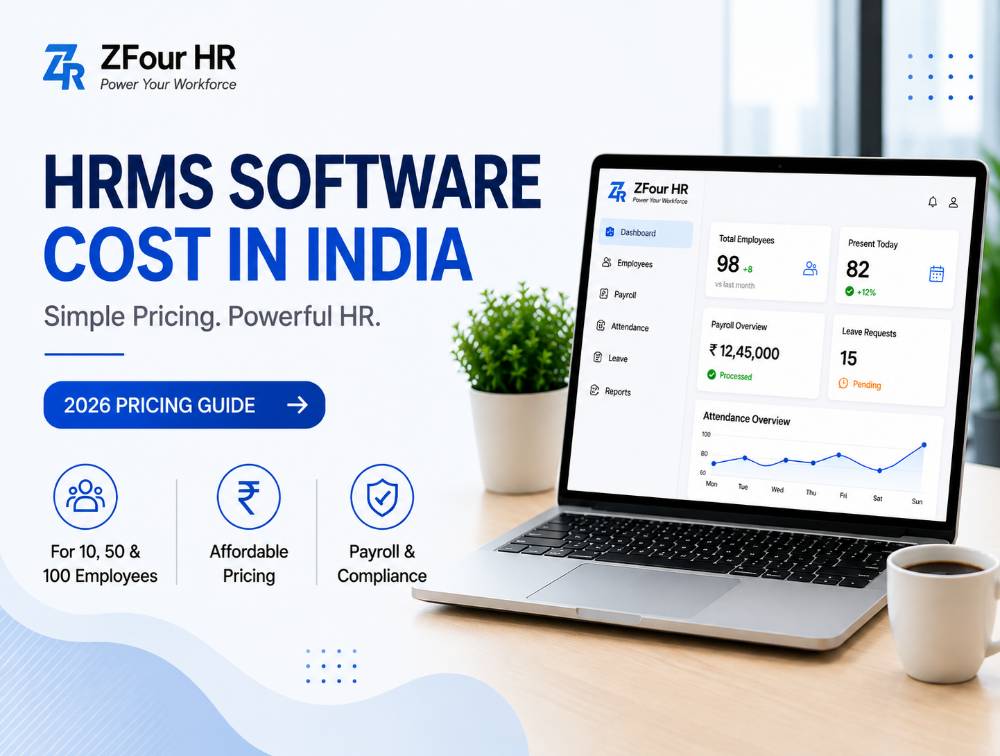
HRMS software cost in India varies based on employee count, payroll complexity, features, implementation, integrations, and support requirements. For businesses evaluating HRMS costs for 10, 50, or 100 employees, the actual amount depends not only on the subscription price but also on setup, migration, add-ons, and other implementation requirements.
Quick Answer
HRMS software cost in India depends on employee count, required HR modules, payroll complexity, implementation, integrations, and support. For example, based on ZFour's published per-user rates, the People First plan costs ₹500/month for 10 employees, ₹2,500/month for 50 employees, and ₹5,000/month for 100 employees, before GST and applicable add-ons. The actual first-year cost may be higher when setup, migration, integrations, or optional services are included.
Key Takeaways
HRMS software cost in India varies by employee count, features, payroll complexity, and implementation requirements.
HRMS cost for 10, 50, and 100 employees can differ significantly depending on the pricing structure and selected features.
Subscription cost is only one part of the total HRMS cost; setup, migration, integrations, training, and add-ons may also apply.
Monthly and annual plans have different cash-flow and commitment implications.
Businesses should compare total first-year cost rather than only the advertised monthly price.
What Is HRMS Software?
Definition: HRMS (Human Resource Management System) is software that manages employee operations — payroll, attendance, leave, and compliance — from a single platform, replacing a patchwork of spreadsheets, registers, and manual approvals.
Most HRMS platforms include:
Payroll processing
Attendance tracking
Leave management
Employee database
Shift scheduling
Onboarding workflows
Reports and dashboards
Compliance support
Employee self-service portal
Instead of managing HR through multiple disconnected tools, an HRMS creates one organized system that HR, finance, and employees all draw from.
How Much Does HRMS Software Cost in India?
There is no single market price for HRMS software — cost depends on employee count, payroll needs, feature depth, support level, and customization. Most vendors use one of four pricing models: per-employee-per-month, flat monthly plans, annual subscriptions, or custom enterprise pricing.
Why it matters: understanding which model a vendor uses — and what's actually included at each tier — matters more than comparing headline numbers across vendors, since a low per-employee rate can still add up to a higher total cost once modules and add-ons are included.
For businesses specifically comparing how HRMS pricing is structured across vendors, see our guide to HRMS software pricing in India.
Pricing snapshot by team size:
Employee Size | Typical HRMS Requirements |
|---|---|
10 employees | Basic payroll, attendance and leave |
50 employees | Payroll, workflows and reporting |
100 employees | Automation, compliance and multi-location support |
HRMS Cost by Team Size (10, 50, 100 Employees)
HRMS for 10 Employees
Small teams generally need simplicity over depth.
Common priorities: salary processing, attendance records, leave requests, and centralized employee data storage.
Best approach: choose affordable software with fast onboarding and minimal admin overhead — complexity you don't need yet just slows down setup.
Ideal for: startups, agencies, clinics, and small offices.
HRMS for 50 Employees
At 50 employees, operations usually become more structured, and the cost of getting payroll wrong grows with headcount.
Common priorities: payroll accuracy, shift handling, approval hierarchies, reporting, leave policy automation, and basic compliance processes.
Best approach: choose scalable software that can grow with the company rather than requiring a platform switch at the next growth stage.
Ideal for: SMEs, retail chains, growing service businesses, and multi-department teams.
HRMS for 100 Employees
Once a company crosses roughly 100 employees, manual HR processes typically become genuinely expensive and inefficient to maintain.
Common priorities: multi-branch attendance, department-level workflows, advanced payroll, compliance management, employee lifecycle automation, and dashboards.
Best approach: choose a robust HRMS with strong support, automation, and reporting. For 100 employees, businesses should evaluate the recurring subscription alongside implementation, integrations, support, and other applicable costs.
Ideal for: mid-size companies, factories, warehouses, and multi-location businesses.
Employees | People First | Workforce Pro | Talent Master |
|---|---|---|---|
10 | ₹500/month | ₹700/month | ₹1,000/month |
50 | ₹2,500/month | ₹3,500/month | ₹5,000/month |
100 | ₹5,000/month | ₹7,000/month | ₹10,000/month |
These calculations use ZFour's published per-user monthly rates and exclude GST, optional add-ons, and applicable setup or go-live charges. Actual HRMS cost can vary depending on the selected plan and business requirements.
For a full breakdown of what's included in each ZFour plan — not just the price — see our ZFour HRMS pricing plans guide.
What Affects HRMS Software Pricing
Several factors influence the total cost of an HRMS beyond simple headcount:
1. Employee count. Larger teams typically move into higher pricing tiers or custom quotes.
2. Payroll complexity. Businesses managing overtime, bonuses, variable pay, contractors, or multi-state payroll usually need stronger (and pricier) payroll systems.
3. Attendance features. Advanced tools like biometric sync, GPS attendance, shift rostering, and geo-fencing can affect pricing tiers.
4. Leave management complexity. Multi-level approval chains or complex leave policies can push a business into a higher plan.
5. Compliance needs. PF, ESI, TDS, payslip generation, and statutory workflows add real business value — businesses should stay current through the EPFO official portal and the ESIC official portal regardless of which vendor they choose.
6. Mobile app access. Employee self-service apps are often bundled only into higher-tier plans.
7. Customization. Custom workflows, branding, or approval logic frequently carry additional cost.
8. Support quality. Dedicated onboarding managers or premium SLAs affect price meaningfully.
9. Implementation scope. Large data imports and complex multi-department setups may involve one-time charges beyond the subscription fee.
Monthly vs Annual HRMS Pricing: Which Is Better?
Factor | Monthly Plan | Annual Plan |
|---|---|---|
Upfront cost | Lower | Higher |
Flexibility | Strong | Moderate |
Long-term value | Moderate | Often better |
Good for startups | Yes | Sometimes |
Best for stable teams | Good | Excellent |
Choose monthly if: your team size may change soon, you're still testing the software, or you want to minimize upfront commitment.
Choose annual if: your team size is stable, you want better overall value, and you're planning long-term usage rather than a short-term trial.
Hidden Costs to Check Before Buying
Low headline pricing doesn't always mean low total cost. Ask vendors about each of these before signing:
Setup fees — initial onboarding or configuration charges
Training costs — sessions for HR and admin teams
Data migration — moving old records from Excel or a legacy system
Integrations — connecting biometric devices, ERP, accounting tools, or CRM systems
Premium support — dedicated account managers or faster response SLAs
Pro tip: always ask vendors for the total first-year cost, not just the advertised monthly price — that single question surfaces most hidden fees upfront.
Manual HR Cost vs HRMS Cost
Many businesses compare software fees closely but overlook the hidden cost of staying manual.
Task | Manual Cost | HRMS Benefit |
|---|---|---|
Attendance tracking | Daily admin effort | Automated records |
Payroll processing | Repetitive monthly work | Faster salary runs |
Leave approvals | Delays and follow-ups | Instant workflow |
Employee records | Risk of misplaced data | Centralized storage |
Reports | Manual spreadsheet effort | One-click dashboards |
Compliance tasks | Higher error risk | Better control and audit trail |
Why it matters: the real comparison isn't "software cost vs zero cost" — it's software cost vs the fully-loaded cost of the manual time, errors, and risk it replaces.
Real ROI of HRMS
Businesses adopting HRMS typically gain:
Time savings across HR and finance teams
Fewer payroll mistakes and corrections
Faster leave and expense approvals
Better, more consistent reporting
Lower day-to-day dependency on manual HR admin
These gains compound over time — a platform that saves even a few HR-hours per week adds up to a meaningful chunk of a full-time role's capacity across a year, capacity that can be redirected toward recruitment, engagement, or workforce planning instead of data entry.
What Is Included in the Total Cost of HRMS Software?
The total cost of HRMS software can include the recurring subscription, implementation or setup, data migration, employee training, integrations, optional modules, premium support, and applicable taxes. Businesses should ask vendors for an itemized first-year quote to understand the actual cost before purchasing.
Final Thoughts
HRMS software cost in India is not a single fixed amount. The actual investment depends on employee count, payroll complexity, required features, implementation, integrations, support, and optional services.
For businesses evaluating HRMS costs for 10, 50, or 100 employees, the best approach is to compare subscription pricing alongside implementation costs, hidden charges, and the operational value of automation.
Whether you're a 10-person startup or a 100-employee company evaluating different HRMS plans, the underlying question is the same: what is manual HR work already costing you, and does the software price actually compare unfavorably to that — or just look like it does at first glance?
If you're weighing cost alongside features and platform fit, see our full comparison of the best HR management software in India for how ZFour and other leading options stack up beyond price alone.

Farheen Ahmed
HR Tech Content Strategist at ZFour Technology Private Limited
Research-driven content on HRMS, payroll, attendance management, employee management, and modern HR technology for Indian businesses.


