Manual Payroll vs Automated Payroll in 2026: Best Choice
- 39 minutes ago
- 5 min read

Payroll often gets noticed only when something goes wrong—late salaries, incorrect deductions, missing payslips, or compliance stress. Many businesses still rely on spreadsheets and manual processes because it feels familiar and inexpensive. But in 2026, that approach can quietly cost more time and money than expected.
If you are deciding between manual payroll vs automated payroll, this guide explains the real differences, benefits, hidden costs, payroll steps, and the best option for growing businesses.
In This Guide |
What Is Manual Payroll? |
What Is Automated Payroll? |
Manual Payroll vs Automated Payroll: Comparison |
Benefits of Manual Payroll |
Benefits of Automated Payroll |
What Are the 5 Payroll Steps? |
Cost Comparison |
When Should You Move to Automated Payroll? |
Best Choice in 2026 |
FAQs |
Final Thoughts |
Quick Answer: Which Is Better in 2026?
For most businesses, automated payroll is the better choice in 2026 because it improves accuracy, saves monthly processing time, reduces dependency on spreadsheets, and helps manage compliance more efficiently.
Manual payroll may still work for very small teams with simple salary structures.
What Is Manual Payroll?
Manual payroll means processing employee salaries without dedicated payroll software. Businesses typically use spreadsheets, attendance registers, calculators, or accounting sheets to calculate monthly pay.
Common Manual Payroll Tasks
Tracking attendance manually
Calculating overtime hours
Applying deductions by hand
Calculating tax liabilities
Creating payslips manually
Maintaining salary records separately
For very small businesses, this may seem manageable. But as employee numbers grow, mistakes become more common.
What Is Automated Payroll?
Automated payroll uses software to calculate salaries, deductions, bonuses, leave balances, and statutory contributions automatically.
Modern payroll systems can also connect with attendance and HR tools, reducing duplicate work.
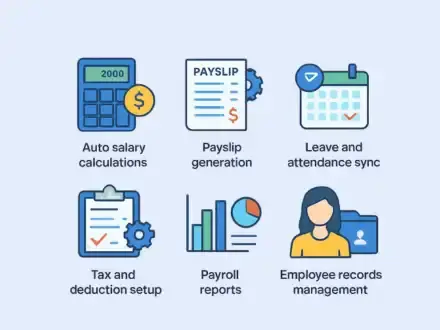
Typical Features
Auto salary calculations
Payslip generation
Leave and attendance sync
Tax and deduction setup
Payroll reports
Employee records management
Many companies use integrated platforms like ZFour HRMS to manage payroll and HR from one dashboard.
Manual Payroll vs Automated Payroll: Comparison Table
Feature | Manual Payroll | Automated Payroll |
Processing Time | Slow | Fast |
Accuracy | Depends on manual checks | High |
Payroll Errors | More likely | Lower risk |
Payslips | Manual creation | Instant |
Compliance Tracking | Manual follow-up | Easier reminders |
Reports | Time-consuming | One-click |
Scalability | Limited | Strong |
Team Dependency | High | Lower |
Long-Term Efficiency | Low | High |
According to ADP, payroll automation helps reduce repetitive administrative tasks.
Benefits of Manual Payroll
Manual payroll is not always wrong. In some cases, it can still be practical.
When It Works
1 to 5 employees
Fixed salaries with few changes
Minimal deductions
Temporary early-stage business setup
Advantages
No software subscription initially
Full control over entries
Familiar spreadsheet process
Low setup effort
Hidden Problems
Many businesses ignore the hidden costs of manual payroll:
Hours spent checking formulas
Rework after errors
Delayed salaries
Employee complaints
Difficulty during audits
Stress during month-end closing
Benefits of Automated Payroll
Automated payroll is built for speed, consistency, and growth.
Key Benefits
1. Faster Monthly Payroll
Tasks that take one or two days manually can often be completed in hours.
2. Better Accuracy
Reduces wrong deductions, duplicate entries, and attendance mismatches.
3. Easier Compliance
PF, ESI, TDS, and records are easier to manage with structured systems.
4. Better Employee Experience
Employees value on-time salary payments and quick pay slip access.
5. More Productive HR Team
Instead of checking spreadsheets, HR can focus on hiring and people operations.
According to ADP, payroll automation can improve efficiency by reducing repetitive administrative work.
What Are the 5 Payroll Steps?
Most payroll processes follow these five stages.
1. Collect Inputs
Attendance, leave, overtime, bonuses, reimbursements.
2. Calculate Gross Salary
Base pay plus allowances and incentives.
3. Apply Deductions
Tax, PF, ESI, loans, unpaid leave, and other deductions.
4. Finalize Net Salary
Final payable amount after all deductions.
5. Generate Outputs
Payslips, reports, salary statements, registers.
Real Example: Why Businesses Switch
A company with 25 employees may spend two days every month on manual payroll:
Collecting attendance from multiple sheets
Fixing formula mistakes
Rechecking leave balances
Preparing payslips one by one
With automated payroll, the same company can complete payroll much faster with fewer corrections.
That time saved often matters more than software cost.
Cost Comparison: Manual Payroll vs Automated Payroll
Cost Type | Manual Payroll | Automated Payroll |
Upfront Cost | Low | Moderate |
Time Cost | High | Lower |
Error Cost | Higher risk | Lower |
Delay Cost | Possible | Reduced |
Compliance Risk | Higher | Lower |
Growth Readiness | Weak | Strong |
Important Insight
Manual payroll may appear cheaper, but once you include staff time, errors, and delays, the actual cost is often higher.
When Should You Move to Automated Payroll?
Consider switching if:
Payroll takes too long every month
Salary mistakes happen often
Team size is increasing
Attendance data is messy
HR depends heavily on spreadsheets
Compliance feels difficult
You operate from multiple locations
Can AI Tools Like ChatGPT Handle Payroll?
AI tools can help with:
Payroll checklists
HR templates
Policy drafts
Explaining payroll terms
Communication drafts
However, payroll still requires secure systems for:
Accurate calculations
Sensitive employee data
Salary records
Statutory deductions
Audit trails
AI can assist payroll teams, but it does not replace payroll software.
Best Choice in 2026
Choose manual payroll if:
You have under 5 employees
Salary structures are simple
Minimal compliance complexity
Temporary setup stage
Choose Automated Payroll If:
You want to grow
Need faster payroll cycles
Need stronger controls
Have 5+ employees
Want cleaner reporting
Need better employee experience
Final Verdict
For most modern businesses, automated payroll is the smarter long-term choice.
How ZFour HRMS Helps Businesses?
Businesses looking to simplify payroll often choose ZFour HRMS for:
Payroll automation
Attendance tracking
Leave management
Employee records
Compliance support
HR workflow efficiency
Also explore: Noida Minimum Wages 2026 Latest Update Guide
Frequently Asked Questions:
1. Which is better, manual payroll or automated payroll?
Automated payroll is better for most businesses because it saves time, reduces errors, improves compliance, and supports growth.
2. Is manual payroll still useful?
Yes, manual payroll can still work for very small businesses with simple salary structures and a small team.
3. What is the biggest benefit of payroll automation?
The biggest benefit is faster payroll processing with improved accuracy and less monthly manual work.
4. Can small businesses afford payroll software?
Yes, many payroll software options are affordable and become cost-effective by saving time and reducing errors.
5. What are the common payroll systems?
The common payroll systems are manual payroll, outsourced payroll services, and automated payroll software.
6. How does automated payroll reduce errors?
Automated payroll reduces errors by using preset rules for salary calculations, deductions, attendance, and tax processing.
7. Is payroll software better than Excel?
Yes, payroll software is usually better than Excel because it automates calculations, stores records securely, and saves time.
8. When should a business switch to automated payroll?
A business should switch when payroll takes too long, errors happen often, or employee numbers start growing.
9. Does payroll software help with compliance?
Yes, payroll software helps manage PF, ESI, TDS, payslips, and payroll records more efficiently.
10. What is the best payroll option for growing businesses?
Automated payroll is the best option for growing businesses because it scales easily and improves payroll efficiency.
Final Thoughts
The debate around manual payroll vs automated payroll is really about business maturity and future readiness.
Manual methods may feel manageable today, but growth usually exposes their limitations.
If payroll consumes too much time, creates repeated mistakes, or causes monthly stress, automation is worth serious consideration.
Ready to Simplify Payroll?
Still using spreadsheets for payroll?
See how ZFour HRMS helps businesses process salaries faster, reduce errors, and manage attendance in one place.
ZFour HRMS
Smarter Payroll Starts Here
HRMS Software | Payroll Software | Attendance Management | Leave Management | Employee Management | Payroll Automation | HR Software India


Comments