 8 min read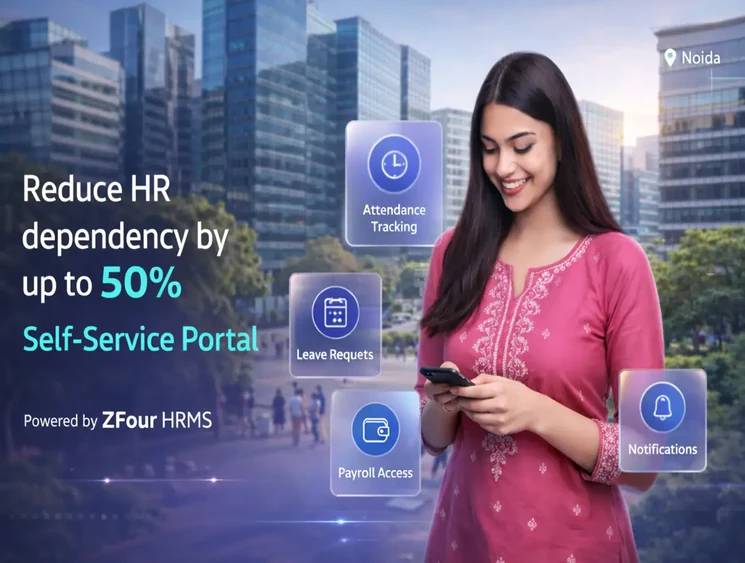
An Employee Self-Service (ESS) portal gives employees direct access to selected HR information and workflows without requiring HR teams to handle every routine request manually.
Depending on the HRMS and organizational configuration, employees may use an ESS portal to view attendance, check leave information, access payslips, update permitted profile details, submit HR requests, and track request status.
For growing businesses, the main value of ESS is not simply putting HR forms online. It is creating a more transparent workflow where employees can access their own information and complete routine HR tasks through a centralized system.
Quick Answer: What Is an Employee Self-Service Portal?
An Employee Self-Service (ESS) portal is an employee-facing part of an HRMS that allows employees to access and manage permitted HR information and requests themselves.
Common ESS functions can include:
Viewing attendance information
Checking leave balances and leave history
Applying for leave
Accessing payslips
Updating permitted employee information
Accessing HR documents
Submitting HR requests
Tracking request or approval status
The exact features available depend on the HRMS platform and the organization's configuration.
What Is an Employee Self-Service Portal?
An ESS portal acts as the employee-facing layer of an HRMS.
Instead of asking HR to retrieve every payslip, check every leave balance, or manually process every routine request, employees can access permitted information and workflows themselves.
For example:
Employee → ESS Portal → HRMS Workflow → Manager/HR → Updated Record
This creates a more structured employee experience while allowing HR teams to focus on activities that require human judgment rather than repetitive administrative requests.
ESS Portal vs HRMS: What's the Difference?
ESS and HRMS are related but they are not exactly the same thing.
Term | What It Means | Typical Users |
|---|---|---|
HRMS | Broader system for managing HR processes and employee records | HR, Finance, Admin, Managers |
ESS | Employee-facing interface for accessing permitted HR information and workflows | Employees |
HR Portal | A broader employee or manager access interface that may contain ESS functions | Employees, Managers, HR |
An HRMS may contain payroll, attendance, leave, recruitment, performance, employee records, compliance and other modules. ESS is generally the employee-facing access layer through which employees interact with selected parts of those processes. Businesses can also use an HRMS employee portal to connect employee access with broader HR workflows.
What Can Employees Do Through an ESS Portal?
The exact functionality depends on the platform and organizational configuration, but an ESS portal may allow employees to:
View Attendance
Employees can access attendance information and, where supported, review attendance-related records or requests.
This can reduce routine questions such as:
“Why was I marked absent?”
or:
“Do I need to regularize this attendance record?”
Manage Leave
Employees may be able to:
Check available leave information
View leave history
Apply for leave
Track request status
Review approved or rejected requests
For ZFour-specific instructions, the dedicated How to Apply for Leave in ZFour HRMS guide should remain the task-specific resource.
Access Payslips
An ESS portal can provide employees with access to their salary-related documents, such as payslips, depending on the payroll configuration.
This reduces the need for employees to request individual salary documents from HR every month.
Update Permitted Employee Information
Depending on the organization's workflow, employees may be able to update selected information such as:
Contact details
Emergency contact information
Address
Bank information
Other permitted profile fields
Sensitive changes may require HR verification or approval.
Submit HR Requests
ESS can also provide a structured way to submit employee requests and track their progress.
Examples include:
Leave requests
Attendance regularization
Document requests
Profile updates
Other organization-specific HR requests
Core Features of an Employee Self-Service Portal
A useful ESS portal should focus on the HR tasks employees actually need to complete.
1. Attendance Access
Employees should be able to view relevant attendance information and access supported attendance workflows.
For organizations with field or hybrid employees, businesses should separately evaluate whether mobile attendance, location-based features, biometric integrations or other capabilities are actually required.
2. Leave Management
A strong ESS experience should make leave information easy to understand.
Depending on configuration, employees may be able to:
View leave balance
View leave history
Apply for leave
Track approvals
View request status
For broader product information, see the Leave Management System.
3. Payroll and Payslip Access
Employees can use ESS to access payroll-related information made available by the organization.
This may include:
Payslips
Salary information
Tax-related information
Payroll documents
The exact functionality depends on the payroll and ESS configuration.
4. Employee Profile Management
Employees can maintain permitted personal information without asking HR to update every field manually.
For sensitive information, organizations should use appropriate approval and verification workflows.
5. HR Requests and Approvals
An ESS portal can centralize requests instead of relying on email, paper forms or informal messages.
Employees can submit requests and, where supported, see their current status.
6. Document Access
Depending on the HRMS, employees may be able to access documents made available to them by HR.
This can reduce repeated requests for commonly accessed employee documents.
7. Mobile Access
For hybrid, field and non-desk employees, mobile access can make ESS more practical.
However, businesses should verify the actual mobile features supported by the platform instead of assuming that every ESS function available on desktop is available on mobile.
Benefits of Employee Self-Service for Employees and HR
ESS can benefit both employees and HR teams when it is properly configured and adopted.
Benefit | Employee Impact | HR Impact |
|---|---|---|
Self-service access | Faster access to information | Fewer routine queries |
Leave visibility | Easier leave planning | Less manual tracking |
Payslip access | Documents available when needed | Fewer repeated requests |
Request tracking | Better visibility | Easier workflow management |
Profile updates | Employees can maintain permitted information | Less repetitive data entry |
Centralized records | One place to access HR information | Better record organization |
Mobile access | Convenient access for supported workflows | Better accessibility across workforce types |
The actual benefit depends on implementation quality, workflow design, employee adoption and the capabilities enabled in the system.
ESS Portal vs Traditional HR Processes
HR Activity | Traditional Process | ESS Portal |
|---|---|---|
Leave request | Email, paper or message | Digital request workflow |
Leave balance | Ask HR or check manual records | Employee self-service access |
Payslip | Request from HR | Access through portal where enabled |
Attendance query | HR follow-up | Employee can review available records |
Profile update | HR manually changes records | Employee updates permitted fields |
Request status | Email follow-up | Centralized status visibility |
Document access | HR sends document | Employee accesses available documents |
Approvals | Email/manual workflow | Configured digital workflow |
The purpose of ESS is not to remove HR involvement entirely. Instead, it helps separate routine self-service tasks from situations that require HR review, approval or intervention.
How ESS Works With an HRMS
An ESS portal generally works as part of a broader HRMS ecosystem.
A simplified workflow looks like this:
Employee → ESS Portal → HRMS Module → Approval/Processing → Updated Record
For example:
Employee submits leave request → Manager reviews → Request is processed → Employee can view status
Similarly:
Payroll is processed → Payslip becomes available → Employee accesses the document through ESS
This connected structure is one of the main reasons ESS is more useful when integrated with the organization's broader HRMS rather than operated as a standalone employee portal.
What Should Businesses Check Before Choosing an ESS Portal?
Businesses should evaluate an ESS platform according to their actual workforce and HR processes.
What to Check | Why It Matters | Question to Ask |
|---|---|---|
Employee workflows | Determines whether the portal solves real HR problems | Which employee requests can be handled through ESS? |
Mobile access | Important for hybrid and non-desk employees | Which functions are available on mobile? |
Role-based access | Protects employee information | What can employees, managers and HR each access? |
Payroll integration | Supports payroll-related self-service | Can employees access configured payroll documents? |
Leave & attendance | Common ESS use cases | Can employees view and submit relevant requests? |
Approval workflows | Reduces manual follow-ups | Can workflows be configured according to our structure? |
Security | ESS contains personal information | How are authentication, permissions and audit logs handled? |
Integrations | Supports connected HR operations | What systems can the platform integrate with? |
Implementation support | Determines adoption quality | What training and implementation support is provided? |
Reporting | Helps HR monitor workflows | What employee and workflow reports are available? |
ESS Security and Employee Data Privacy
An ESS portal can contain sensitive employee information, including salary details, identity information, bank information and employment records.
Therefore, security should be part of the selection process.
Businesses should evaluate:
Role-based access controls
Authentication methods
Encryption
Audit logs
Data retention practices
Administrative access
Backup and recovery processes
Data-processing responsibilities
Organizations should also understand their own responsibilities when processing employee personal data.
For official information about India's data-protection framework, businesses can refer to the Digital Personal Data Protection Act, 2023.
The software itself does not automatically make an organization compliant. Proper configuration, access management, policies and organizational processes remain important.
How to Implement an ESS Portal Successfully
Implementing ESS is not simply a matter of giving employees login credentials.
Step 1: Identify Repetitive HR Requests
Find out what employees repeatedly ask HR for.
Examples:
Leave balances
Payslips
Attendance information
Employee documents
Profile updates
Step 2: Define Employee and HR Responsibilities
Determine which actions employees can perform themselves and which require HR or manager approval.
Step 3: Configure Workflows
Set up:
Approval levels
Permissions
Notifications
Leave policies
Attendance workflows
Employee data access
Step 4: Clean Employee Data
Incorrect employee information can create problems after implementation.
Verify:
Employee records
Departments
Reporting managers
Leave settings
Payroll information
Access permissions
Step 5: Train Employees
Explain what employees can do through ESS and where they should contact HR.
Step 6: Monitor Adoption
Track common questions, failed workflows and frequently unused features.
Then improve the employee experience based on actual usage.
Common ESS Implementation Mistakes
Treating ESS as Only a Mobile App
ESS is a workflow concept, not simply a mobile application.
Automating Bad Processes
If an existing HR process is unnecessarily complicated, putting it into software does not automatically fix it.
Giving Excessive Access
Employees should only access information relevant to their role.
Ignoring Non-Desk Employees
If a workforce includes field, manufacturing or shift employees, desktop-only access may limit adoption.
Skipping Employee Training
Employees need to understand what they can do through ESS and how the workflow operates.
Not Reviewing Data Quality
Incorrect employee records can undermine trust in the system.
ESS for Different Workforce Types
ESS requirements vary by workforce.
Office-Based Teams
Priorities may include:
Payslip access
Leave
Attendance
Documents
Profile updates
Hybrid Employees
Mobile and browser access can become more important.
Field Employees
Organizations may prioritize mobile workflows and attendance capabilities.
Manufacturing and Shift-Based Teams
Attendance, shifts, leave and approval workflows may require more attention.
The right ESS configuration should therefore reflect the actual workforce rather than applying the same setup to every organization.
Future of Employee Self-Service
ESS is moving beyond basic information access.
AI-Powered HR Assistance
AI can help employees find information, understand HR policies and navigate routine HR workflows.
Businesses should still evaluate how AI features handle employee data and what information the system is permitted to access.
Intelligent Workflow Automation
Automation can help route requests, send notifications and reduce repetitive manual intervention.
Mobile-First Employee Experience
Employees increasingly expect important HR tasks to be accessible through mobile devices, particularly in hybrid and field environments.
More Connected HR Workflows
ESS is likely to become more closely connected with:
Payroll
Attendance
Leave
Performance
Employee records
Documents
HR requests
The goal is a more connected employee experience rather than separate systems for every HR task.
Final Takeaway
An Employee Self-Service (ESS) portal can give employees a structured way to access permitted HR information and complete routine HR tasks without depending on HR for every request.
The most useful ESS implementations connect employee-facing workflows with the broader HRMS across areas such as:
Attendance → Leave → Payroll → Employee Records → Documents → HR Requests
For businesses evaluating an ESS portal, the priority should not simply be the number of features. Evaluate workflow fit, security, usability, mobile access, integrations, implementation support, and employee adoption.
For organizations looking for a broader HRMS that combines employee self-service with payroll, attendance, leave, and employee-management workflows, Explore ZFour HRMS.

Farheen Ahmed
HR Tech Content Strategist at ZFour Technology Private Limited
Research-driven content on HRMS, payroll, attendance management, employee management, and modern HR technology for Indian businesses.


