 5 min read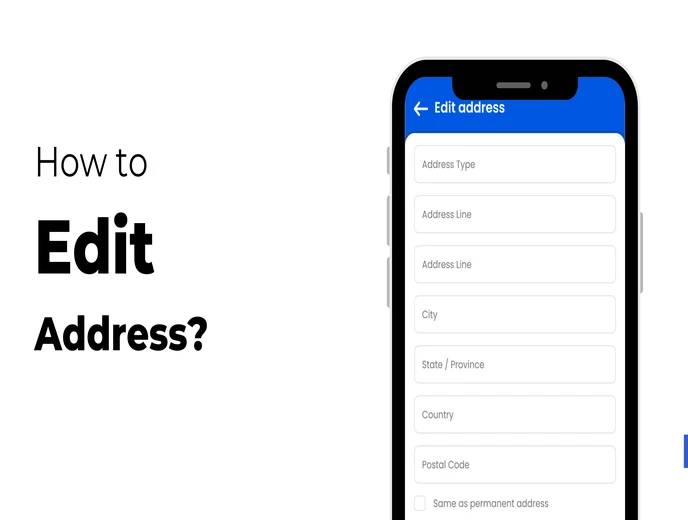
Employees occasionally need to update personal details in their HR system, and a home address change is one of the most common updates requested. In many organizations, this used to mean emailing HR, filling out a form, or waiting for someone to manually update a spreadsheet. The ZFour HRMS mobile app removes that dependency by letting employees make the change directly, without paperwork or a request to HR.
This guide explains how to update your address in the ZFour HRMS app, what to prepare before you start, why keeping this information current actually matters beyond just "having the right address on file," and what to do if something doesn't go as expected.
Why an Address Update Seems Small But Isn't
On the surface, updating an address looks like a minor administrative task. In practice, it connects to several things employees don't always think about until something goes wrong:
Payroll and tax records. Address information can be tied to state-specific tax calculations, Professional Tax slabs, or other location-based payroll rules depending on your organization's setup — see our Payroll Compliance in India guide for how these vary by state. For details on how address and residency can factor into state-specific tax obligations, see the Income Tax Department's PAN and residential status guidance.
Official communications. Offer letters, appointment letters, tax documents (like Form 16), and other official correspondence are often sent to the address on file.
Compliance and documentation. If your employer needs to verify your current residence for any statutory or internal process, an outdated address can create unnecessary delays.
Emergency contact accuracy. In some organizations, the address on file is also referenced for emergency situations, particularly for field or on-site employees.
None of these are urgent day-to-day concerns, which is exactly why address updates tend to get delayed — until a document goes to the wrong place or a form asks for information that hasn't been updated in months.
How to Change Your Address in the ZFour HRMS App
The process is designed to take a few minutes, provided you have your login details and any required documentation ready beforehand.
Step 1: Open the App and Log In
Open the ZFour HRMS mobile app and log in with your registered credentials. If you've forgotten your login details, contact your HR or system administrator rather than attempting repeated incorrect logins.
Step 2: Go to Your Profile
From the dashboard, tap the Profile icon. This is where most personal information — including your address — is managed.
Step 3: Select "Edit Address"
Choose Edit Address from the available profile options. Depending on your organization's configuration, this may sit alongside other editable fields like emergency contact details or family information.
Step 4: Enter Your New Address
Fill in your updated address details carefully. Double-check spelling, pin code, and any other required fields before continuing — a small formatting error here can cause the same downstream confusion that motivated the update in the first place (documents going to a slightly wrong address, for instance).
Step 5: Upload Address Proof (If Required)
If your organization requires supporting documentation, tap Upload and attach a valid address proof, such as an Aadhaar card, lease agreement, or a recent utility bill. Not every organization requires this step — it depends on your company's internal verification policy.
Step 6: Save Your Changes
Tap Save or Submit to confirm the update.
Once submitted, your new address becomes visible to your HR team, who can review or approve it according to your organization's process.
What Happens After You Submit
Submitting the change doesn't necessarily mean it's immediately final in every system it touches. A few things typically happen next:
Immediate visibility. Your updated address appears in your profile and is visible to HR right away.
Review or approval. Depending on your organization's configuration, HR may need to review or approve the change, particularly if address proof was required.
Downstream updates. Once approved, the new address should reflect in payroll and document-generation systems — though the exact timing can depend on your organization's payroll cycle and internal processes.
If you have a time-sensitive reason for the update — for example, you need a document sent to your new address before a specific date — it's worth confirming directly with HR rather than assuming the change has fully propagated through every system immediately.
Best Practices Before You Save
Double-check the details.
Confirm the pin code, spelling, and formatting match your official documents before submitting. Address mismatches are a common, avoidable source of delayed mail and documentation.
Have your proof ready before you start.
If your organization requires address verification, prepare a current document — Aadhaar card, lease agreement, or utility bill — before opening the app, so you're not searching for it mid-update or submitting an incomplete request.
Update promptly after moving.
Submitting the change as soon as you move helps avoid delays in receiving payslips, tax documents, or other HR communications sent to your address on file. Waiting until the next time you need something sent is a common way this update gets forgotten.
Confirm the update took effect for anything urgent.
For routine updates, the standard process is fine. If you need the new address reflected for something time-sensitive, a quick check with HR avoids relying on assumptions about processing time.
Common Questions During the Process
What if the "Edit Address" option isn't visible?
This can happen if the feature isn't enabled for your account, or if your organization manages address changes through a different workflow. If you're trying to manage other profile or leave-related information in the same app section, see our guide on how to apply for leave and check your leave balance.
What if I make a mistake after submitting?
In most cases, you can return to the same Edit Address screen and submit a correction. If the change has already been approved and you need to correct it again, contact HR to confirm the right process.
What if my organization doesn't require address proof at all?
Some organizations skip this step entirely and rely on employee self-attestation. If you're unsure whether proof is required, the app will typically prompt you if it's needed.
Final Thoughts
Updating your address in ZFour HRMS is a quick, self-service task that takes a few minutes from your phone, but it connects to more than just having the right address on a form — it affects payroll accuracy, document delivery, and how quickly HR can reach you when it matters.
Keeping this information current, and updating it promptly rather than waiting, helps avoid the small but genuinely inconvenient problems that come from outdated records.
Need help with another profile update?
Contact your HR team, or explore the ZFour HRMS Employee Self-Service capabilities for other information you can manage directly, including emergency contacts, family details, and previous employment history.

Farheen Ahmed
HR Tech Content Strategist at ZFour Technology Private Limited
Research-driven content on HRMS, payroll, attendance management, employee management, and modern HR technology for Indian businesses.


