 8 min read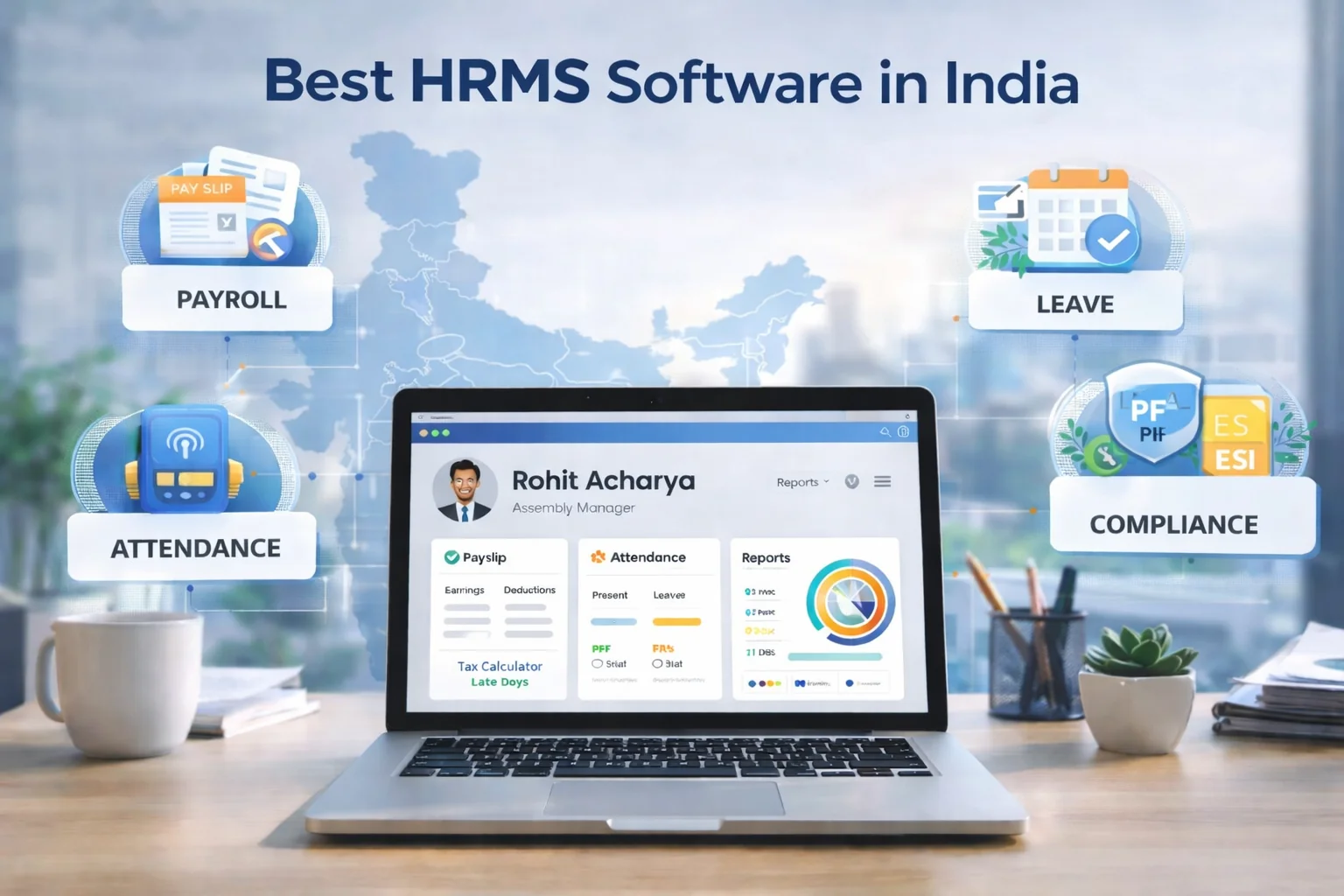
Human resource management is becoming increasingly digital as businesses look for more efficient ways to manage employees, payroll, attendance, leave, onboarding, performance, and reporting.
An HRMS (Human Resource Management System) brings multiple HR processes into a centralized platform, helping HR teams reduce repetitive administrative work and giving employees easier access to relevant HR services.
However, not every business needs the same HRMS capabilities.
The right approach is to identify the features that solve your organization's current HR challenges while also supporting future growth.
This guide explains 15 important HRMS features to evaluate in 2026, what each feature does, and when it can be useful.
Note: HRMS features, plans, integrations, and availability vary between providers and configurations. Always verify the latest capabilities with the respective provider before making a purchasing decision.
What Is an HRMS?
An HRMS is software designed to manage and automate different human-resource processes within an organization.
Depending on the platform, an HRMS may include:
Employee management
Payroll
Attendance
Leave management
Employee self-service
Recruitment
Onboarding
Performance management
Workforce management
Reporting and analytics
Compliance-related workflows
Instead of maintaining employee information and HR processes across disconnected spreadsheets and systems, an HRMS can bring relevant workflows together.
15 Must-Have HRMS Features in 2026
1. Centralized Employee Management
A centralized employee database is one of the foundational HRMS features.
Instead of storing employee information across multiple spreadsheets, folders, and email threads, HR teams can maintain relevant employee information within one system.
Depending on the HRMS, employee records may include:
Employee profiles
Contact information
Department
Designation
Joining date
Employment status
Salary information
Documents
Reporting relationships
Why it matters
A centralized employee database can reduce duplicate data entry and make information easier for authorized users to access and update.
2. Automated Payroll Management
Payroll is one of the most important HRMS functions for businesses.
A payroll module can help manage:
Salary calculations
Earnings and deductions
Overtime
Reimbursements
Payslips
Payroll reports
Applicable statutory workflows
For businesses in India, payroll processes may also involve requirements related to PF, ESI, TDS, Professional Tax, and other applicable regulations.
For more information, read our Payroll Compliance in India 2026: Complete Guide to PF, ESI, Wages & HR Rules.
For official provident-fund information, businesses can also refer to the Employees' Provident Fund Organisation (EPFO).
Why it matters
Automated payroll workflows can reduce repetitive calculations and make payroll information easier to manage and review.
3. Attendance Management
Modern attendance management can involve more than recording whether employees are present or absent.
Depending on workforce requirements, an HRMS may support:
Mobile attendance
Biometric attendance
GPS attendance
Location-based restrictions
Geo-fencing
Shift management
Overtime tracking
Attendance regularization
Attendance reports
ZFour HRMS provides attendance capabilities that can support mobile, biometric, GPS/location-based, and geo-fencing requirements.
For employees who use the mobile application, see How to Mark Attendance in ZFour HRMS: A Step-by-Step Guide.
Why it matters
Accurate attendance information can support payroll, leave management, overtime calculations, and workforce reporting.
4. Leave Management
Managing leave through spreadsheets or email can become difficult as the workforce grows.
An HRMS leave-management module can allow employees to:
View leave balances
Submit leave requests
Check approval status
Review leave history
Managers can use the system to:
Approve or reject requests
Review team availability
Monitor leave patterns
HR teams can configure applicable leave policies and maintain records in a centralized system.
Why it matters
A structured leave workflow can reduce manual follow-ups and give employees and managers clearer visibility into leave information.
5. Employee Self-Service
Employee self-service, commonly called ESS, allows employees to complete routine HR activities without depending on HR for every request.
Depending on the platform, employees may be able to:
Apply for leave
View attendance
Access payslips
Update profile information
Submit HR requests
View relevant documents
Regularize attendance
For a deeper explanation, see our Employee Self-Service Portal in Noida: HRMS Guide 2026.
Why it matters
ESS can reduce repetitive HR queries while giving employees greater visibility into their own HR information.
6. Employee Onboarding
Employee onboarding involves more than collecting documents.
An HRMS can help organize:
Employee information collection
Document submission
Onboarding tasks
Department coordination
Policy acknowledgements
Employee account setup
Why it matters
A structured onboarding workflow helps HR and managers track what needs to be completed before and after an employee joins.
7. Performance Management
Performance management helps organizations structure employee goals, reviews, and feedback.
Depending on the HRMS, performance-management features may include:
Goal setting
KPIs
Performance reviews
Appraisal cycles
Manager feedback
Employee feedback
Performance reports
Why it matters
A structured performance process can make goals, reviews, and feedback easier to manage consistently across teams.
8. Recruitment and Applicant Management
Some HRMS platforms include recruitment functionality or integrate with applicant-tracking systems.
Recruitment features may help HR teams manage:
Job openings
Candidate information
Interview stages
Hiring workflows
Candidate communication
Offers
New-hire handoff
Why it matters
Connecting recruitment and onboarding workflows can reduce repeated data entry when a candidate becomes an employee.
Businesses should determine whether they need recruitment functionality inside their HRMS or integration with a dedicated ATS.
9. Payroll and Attendance Integration
When attendance and payroll are managed in separate systems, HR teams may need to manually transfer or reconcile information.
An integrated workflow can connect:
Attendance → Leave → Overtime → Payroll
This can reduce unnecessary manual data transfer.
ZFour HRMS provides payroll and attendance capabilities within its broader HRMS platform.
Why it matters
Connecting attendance and payroll can help organizations manage salary-related calculations using relevant attendance and leave information.
10. Mobile HRMS Access
Employees and managers may not always work from a desktop.
Mobile HRMS access can allow users to perform tasks such as:
Mark attendance
Apply for leave
View payslips
Review attendance
Access employee information
Complete approvals
Why it matters
Mobile access can be particularly useful for field employees, hybrid teams, and distributed workforces.
11. GPS Attendance and Geo-Fencing
GPS attendance can help organizations manage employees who work outside a fixed office.
Geo-fencing can define an approved geographical area where attendance actions are permitted, depending on how the system is configured.
Potential use cases include:
Sales teams
Field technicians
Delivery teams
Service employees
Multi-location workforces
ZFour HRMS provides GPS attendance and geo-fencing capabilities for field and distributed workforces.
For more information, read How Geo-Fencing in HRMS Is Changing Attendance Tracking in 2026.
Why it matters
Location-based attendance can help businesses manage attendance requirements for employees who do not work from a single fixed office.
12. Biometric Attendance Integration
Businesses with physical offices may use biometric devices to record employee attendance.
An HRMS with biometric integration can connect attendance-device information with broader HR workflows.
Before selecting a platform, check:
Supported devices
Integration method
Data synchronization
Attendance rules
Error handling
Payroll integration
Why it matters
Biometric integration can reduce manual transfer of attendance information where biometric devices are already part of the organization's attendance process.
13. HR Reports and Analytics
HR teams need more than stored employee data. They also need useful information for monitoring and decision-making.
HRMS reporting may cover:
Attendance trends
Leave patterns
Payroll information
Workforce distribution
Employee information
Performance data
HR costs
Why it matters
Centralized reporting can reduce the need to repeatedly combine information from multiple spreadsheets and systems.
14. Compliance Management
HRMS software can help organize compliance-related workflows and information, but automation does not eliminate the need for appropriate review.
Depending on the organization and applicable requirements, businesses may need to manage:
PF
ESI
TDS
Professional Tax
Payroll records
Employee documentation
Statutory reports
When evaluating an HRMS, check whether it supports the compliance workflows relevant to your organization.
For official provident-fund information, refer to the Employees' Provident Fund Organisation (EPFO).
Why it matters
A structured system can make compliance-related information and payroll records easier to manage, review, and report.
15. Role-Based Access and Data Security
HRMS platforms contain sensitive employee and payroll information.
Access should therefore be controlled according to user responsibilities.
For example:
Employees may access their own information.
Managers may access information relevant to their teams.
HR administrators may require broader access.
Payroll administrators may need access to payroll information.
When evaluating an HRMS, ask about:
Role-based permissions
Authentication
Access controls
Audit logs
Data backups
Data storage
Encryption
Security policies
Businesses should also consider applicable personal-data requirements. The Digital Personal Data Protection Act, 2023 is an important reference when reviewing personal-data handling requirements in India.
Bonus Feature: Workflow Automation
Individual HR modules become more useful when they can work together.
For example:
Employee joins → Onboarding → Employee record → Attendance → Leave → Payroll
Workflow automation can also support:
Approval workflows
Notifications
Employee requests
Attendance regularization
Leave approvals
Onboarding tasks
Why it matters
Automation can reduce repetitive administrative tasks and help HR teams create more consistent workflows.
Which HRMS Features Are Most Important?
Not every business needs every feature immediately.
For small businesses
Prioritize:
Employee management
Payroll
Attendance
Leave management
Employee self-service
Basic reporting
For growing businesses
Consider:
Onboarding
Performance management
Workflow automation
Mobile access
Advanced reporting
Integrations
For field or multi-location businesses
Prioritize:
Mobile attendance
GPS attendance
Geo-fencing
Biometric integration
Shift management
Workforce reporting
The right feature set depends on your workforce structure, HR processes, and operational requirements.
How to Choose the Right HRMS Features
Before purchasing an HRMS, don't simply choose the platform with the longest feature list.
Instead, evaluate your actual requirements.
1. Identify your manual processes.
Which HR activities currently require spreadsheets, emails, or repeated data entry?
2. Identify your biggest operational problems
Where do errors, delays, or repetitive work occur most often?
3. Understand your workforce
Consider whether you have:
Office employees
Field employees
Remote employees
Hybrid employees
Shift workers
Multiple locations
4. Check integrations.
Evaluate whether the HRMS works with systems and hardware your organization already uses.
5. Consider scalability.
Choose features that support your current requirements without ignoring expected workforce growth.
6. Evaluate implementation
Ask about:
Data migration
Configuration
Testing
Employee training
Administrator training
Support
Rollout
7. Review security and access.
Make sure the platform provides appropriate access controls for sensitive employee information.
HRMS Feature Checklist
Use this checklist when comparing HRMS platforms:
HRMS Feature | Why It Matters |
|---|---|
Employee management | Centralizes employee information |
Payroll | Supports salary-processing workflows |
Attendance | Records employee working time |
Leave management | Manages leave requests and balances |
Employee self-service | Reduces routine HR dependency |
Onboarding | Structures new-employee processes |
Performance management | Supports goals and reviews |
Recruitment | Organizes hiring workflows |
Mobile access | Supports employees outside the office |
GPS attendance | Helps manage field attendance |
Geo-fencing | Adds location-based attendance controls |
Biometric integration | Connects attendance devices |
Reporting and analytics | Supports HR decision-making |
Compliance workflows | Helps organize applicable processes |
Role-based access | Controls access to sensitive information |
Workflow automation | Reduces repetitive HR tasks |
ZFour HRMS and the Features Businesses Can Evaluate
ZFour HRMS provides a range of HR and workforce-management capabilities that businesses can evaluate based on their requirements.
These include:
Payroll
Attendance
Leave management
Employee management
Employee self-service
Onboarding
Performance management
Shift and roster management
GPS attendance
Geo-fencing
Biometric integration
HR reporting
Payroll compliance
You can review the current ZFour HRMS solutions to explore the available modules.
The right HRMS should ultimately be selected based on the features your organization actually needs rather than the size of a vendor's feature list.
Final Thoughts
The best HRMS is not necessarily the platform with the largest number of features.
It is the platform that provides the right features for your workforce and HR processes.
For many organizations, core capabilities such as employee management, payroll, attendance, leave, employee self-service, reporting, security, and workflow automation should be evaluated first.
Businesses with field employees may need GPS attendance and geo-fencing, while organizations with structured appraisal processes may place greater importance on performance management.
Before purchasing, create a requirements checklist, compare providers against the same criteria, test important workflows, and confirm implementation and support requirements.
Explore ZFour HRMS
If you're evaluating an HRMS for payroll, attendance, employee management, leave, onboarding, performance, and workforce management, explore ZFour HRMS and review its current HRMS solutions.
If you're already using another HRMS and evaluating whether you should switch, read ZFour HRMS vs Current HRMS: How to Decide Whether to Switch.
You can also book a ZFour HRMS demo to discuss your organization's requirements.

Farheen Ahmed
HR Tech Content Strategist at ZFour Technology Private Limited
Research-driven content on HRMS, payroll, attendance management, employee management, and modern HR technology for Indian businesses.


