 11 min read
Human Resource Management Systems (HRMS) have become an important part of modern workforce management. Instead of maintaining employee information and HR processes across separate spreadsheets, documents, and applications, organizations can use an HRMS to centralize key people-management activities.
An HRMS can support functions such as employee records, attendance, leave, payroll, employee self-service, performance management, reporting, and workforce administration. Depending on the platform and configuration, it can also automate repetitive workflows and give HR teams better visibility into workforce information.
For businesses evaluating HR technology, it is important to understand that an HRMS and HR automation are related but not identical. HR automation focuses on automating individual tasks or workflows, while an HRMS provides a broader environment for managing multiple HR functions.
This guide explains what an HRMS system is, how it works, its core functions, how it supports automation and talent growth, and what organizations should consider before choosing one.
Quick Answer: What Is an HRMS System?
An HRMS (Human Resource Management System) is software that centralizes employee information and HR processes such as attendance, leave, payroll, employee self-service, performance management, and HR reporting. Depending on the platform and configuration, an HRMS can also automate repetitive HR workflows and provide workforce information that supports day-to-day HR management.
The exact modules and capabilities available vary by provider, organization size, workforce structure, integrations, and system configuration.
What Is an HRMS System?
An HRMS (Human Resource Management System) is a digital platform used to organize, manage, and administer employee-related information and HR processes.
Traditional HR operations often involve multiple disconnected activities. Employee information may be stored in spreadsheets, attendance may be recorded through a separate system, payroll may use another application, and employees may submit requests through email or physical forms.
An HRMS can bring many of these processes into a centralized environment.
Depending on the organization's requirements, an HRMS may support:
Employee records and HR administration
Attendance and working-hour management
Leave management
Payroll processing
Employee self-service
Recruitment and onboarding
Performance management
HR documents and workflows
Workforce reporting and analytics
Manager and employee approvals
These modules support several core HRM functions, including recruitment, training, performance management, compensation, and employee relations.
How Does an HRMS System Work?
An HRMS generally works by maintaining employee information in a centralized system and connecting that information with different HR workflows.
A typical process looks like this:
Stage | What Happens |
|---|---|
Employee setup | Employee information is added to the HRMS |
HR configuration | HR policies, permissions, workflows, and relevant modules are configured |
Daily HR activity | Employees and managers use available HR functions |
Workflow processing | Requests, approvals, attendance, leave, and other activities are processed |
Payroll and administration | Relevant employee information can be used for payroll and related processes |
Reporting | HR and authorized managers can access available reports and workforce information |
Employee self-service | Employees can access HR services and information available to their roles |
The exact workflow differs between HRMS platforms and organizations.
Core Functions of an HRMS
An HRMS can contain several modules, but organizations do not necessarily need every available feature. The right configuration depends on business requirements.
HRMS Function | Typical Purpose |
|---|---|
Employee Management | Maintain employee records and organizational information |
Attendance Management | Track available attendance and working-hour information |
Leave Management | Manage leave requests, balances, and approvals |
Payroll | Support salary processing and payroll-related workflows |
Employee Self-Service | Allow employees to access permitted HR services |
Recruitment | Organize candidate and hiring workflows |
Onboarding | Structure new-employee joining processes |
Performance Management | Manage goals, reviews, feedback, and appraisal workflows |
HR Reporting | Generate available workforce and HR reports |
Document Management | Store or provide access to relevant HR documents |
For the broader people-management discipline these functions support, see our guide on HR management explained for growing businesses. This piece covers the software; that one covers the practice it's meant to support.
Employee Information Management
Employee management is one of the fundamental functions of an HRMS.
Instead of maintaining employee information in multiple files, HR teams can use a centralized system to manage available records such as employee details, organizational information, job-related information, and other configured fields.
Access should depend on the user's role and permissions.
Attendance Management
An HRMS can help organizations manage attendance information and working-hour records.
Depending on the system configuration, attendance workflows may connect with employee profiles, leave management, shifts, approvals, or payroll processes.
The available attendance methods can vary between organizations and may include web-based, mobile, biometric, or other configured methods.
Leave Management
Leave management allows organizations to structure how employees request and manage leave.
Depending on configuration, employees may be able to:
Check available leave information
Submit leave requests
View previous requests
Track approval status
Access relevant leave records
Managers or HR teams can then review requests according to the organization's approval workflow.
Payroll Management
Payroll is another important HRMS function.
Where payroll functionality is enabled, an HRMS can centralize relevant employee and payroll information and support salary calculations, payroll workflows, payslips, and related processes.
Payroll teams should review employee data, payroll inputs, configurations, and applicable statutory requirements before finalizing payroll.
Employee Self-Service
Employee self-service, commonly called ESS, gives employees direct access to HR services available to their roles.
For example, employees may be able to:
View attendance information
Apply for leave
Access payslips
Review permitted profile information
Submit HR requests
Access available documents
Employees can access the HR services available to their roles through the HRMS dashboard. For a practical walkthrough of dashboard modules and workflows, see the ZFour HRMS dashboard training guide.
Performance Management
An HRMS can also support performance-related workflows.
Depending on the platform, organizations may use performance modules for:
Goal setting
Performance reviews
Feedback
Appraisal workflows
Progress tracking
Performance records
This can give managers and HR teams a more structured way to manage employee performance and development.
HRMS vs HR Automation: What's the Difference?
HRMS and HR automation are often used together, but they describe different concepts.
HRMS | HR Automation |
|---|---|
A broader system for managing multiple HR functions | Technology-based automation of specific HR tasks |
Centralizes employee and HR information | Reduces repetitive manual work |
Can include attendance, leave, payroll, performance, and employee records | Can automate approvals, notifications, calculations, and workflows |
Provides a connected HR management environment | Focuses on improving the efficiency of selected processes |
Can contain multiple HR modules | Can exist within or outside a complete HRMS |
In simple terms: HRMS is the broader system; HR automation is one capability that can operate within that system.
An HRMS can therefore include automation without being limited to automation.
How an HRMS Supports HR Automation
Automation is one of the ways an HRMS can make routine HR operations more structured.
Automated Approvals
Configured workflows can route leave requests, attendance requests, or other employee submissions to the appropriate manager or HR user.
This can reduce manual follow-ups and make approval processes easier to track.
Automated Notifications
An HRMS may send configured notifications or reminders for relevant HR activities, such as pending approvals, employee requests, or workflow updates.
Connected Employee Data
When HR functions use centralized employee information, HR teams may not need to repeatedly enter the same information across separate systems.
This can reduce duplicate data entry and support greater consistency.
Payroll Workflows
Where payroll automation is available, the system can assist with configured salary calculations and payroll-related workflows.
However, automated processing does not eliminate the need for appropriate review, especially where employee data, payroll rules, or statutory requirements are involved.
Routine HR Administration
Automation can be particularly useful for repetitive processes such as approvals, notifications, record updates, and recurring HR workflows.
For a dedicated explanation of HR automation itself, see what HR automation means and how it works.
How an HRMS Supports Talent Growth
An HRMS is not limited to administrative HR activities. Depending on the modules available, it can also support employee development and workforce planning.
Goal and Performance Tracking
Performance-management features can help organizations structure employee goals, reviews, feedback, and appraisal processes.
This can provide managers with a more consistent framework for discussing performance and development.
Training and Skill Development
Organizations can use HR technology to maintain information related to employee skills, training, development activities, and goals where those capabilities are available.
This information can help HR teams identify potential development requirements.
Internal Talent Visibility
Centralized employee information can give authorized HR teams and managers a broader view of workforce capabilities.
This can support discussions around career development, succession planning, and workforce requirements.
Workforce Analytics
HR reporting and analytics can help organizations identify patterns in available workforce data.
For example, organizations may analyze information related to headcount, attendance, leave, performance, or other configured HR metrics.
The usefulness of these insights depends on the accuracy, completeness, and context of the underlying data.
Key Benefits of Using an HRMS
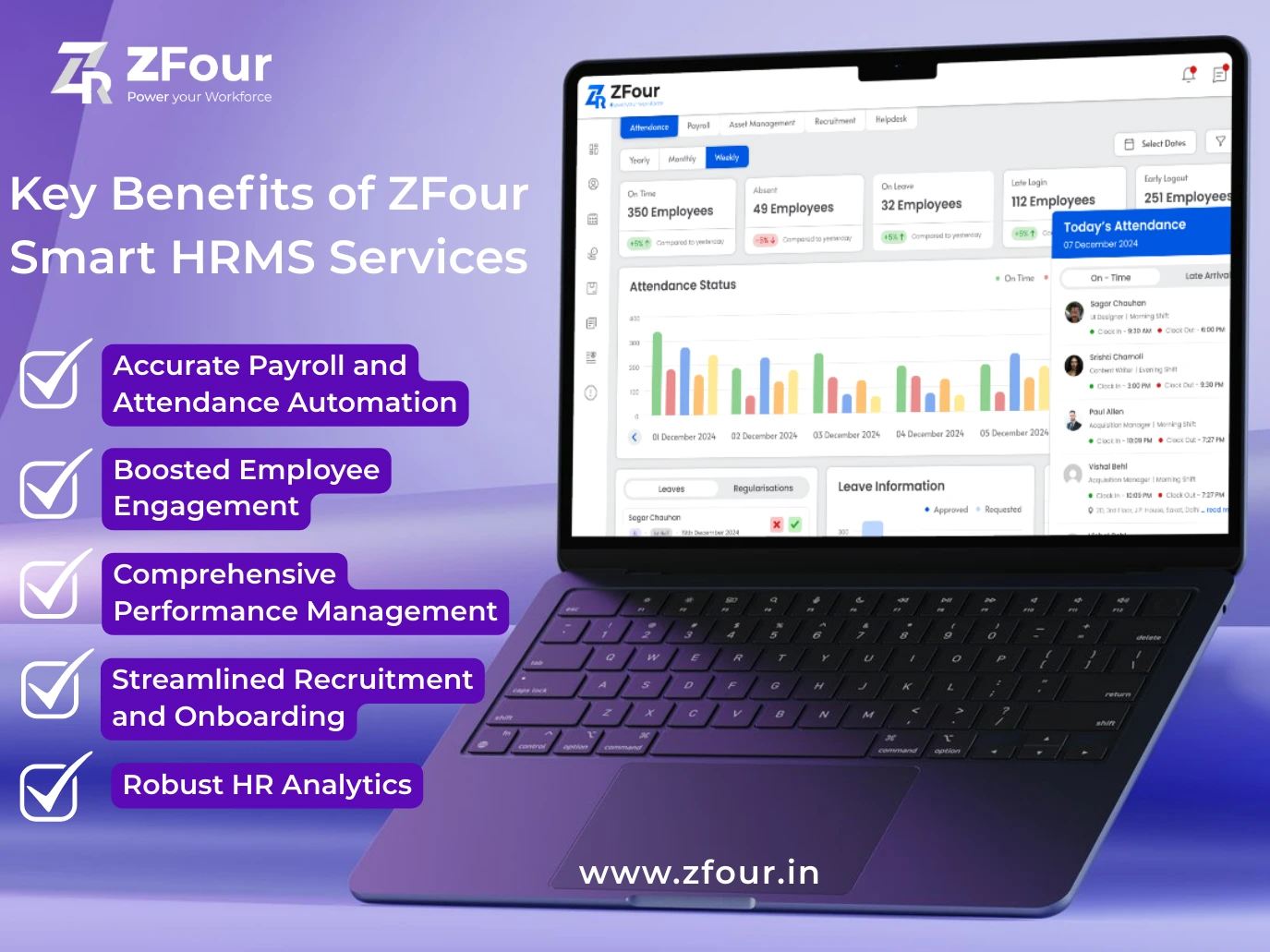
A well-configured HRMS can support organizations across several areas.
Area | How an HRMS Can Help |
|---|---|
Centralized records | Brings employee information into one system |
Administrative efficiency | Reduces repetitive manual HR work |
Attendance | Supports structured attendance workflows |
Leave | Simplifies leave requests and approvals |
Payroll | Supports payroll-related processing and records |
Employee experience | Provides self-service access to available HR services |
Performance | Structures goals, reviews, and feedback |
Reporting | Provides available workforce reports |
Automation | Supports configured repetitive workflows |
Workforce management | Connects multiple HR activities within one environment |
The actual benefits depend on the HRMS platform, modules enabled, implementation quality, employee adoption, and organizational processes.
Why HRMS Matters for Growing Businesses
As an organization grows, managing employee information manually can become increasingly difficult.
A small workforce may initially be manageable through spreadsheets and email. However, as employee numbers, departments, locations, policies, and HR processes increase, maintaining consistent records and workflows can require significantly more administrative effort.
An HRMS can provide a centralized environment for these activities.
For Small Businesses
Smaller organizations may use an HRMS to centralize employee records, attendance, leave, payroll, and basic employee self-service.
For Medium-Sized Businesses
Growing organizations may need more structured approval workflows, reporting, performance management, payroll processes, and employee access.
For Larger Organizations
Larger organizations may require role-based access, multiple departments or locations, integrations, detailed reporting, and more complex workforce workflows.
The right HRMS therefore depends on the organization's actual requirements rather than workforce size alone.
HRMS for Indian Businesses
For organizations operating in India, HRMS requirements can include employee records, attendance, leave, payroll workflows, employee self-service, and statutory payroll processes.
The specific requirements can vary according to workforce structure, location, employment arrangements, payroll configuration, and applicable regulations.
Organizations should verify current legal and statutory requirements independently and ensure that HR processes are configured appropriately rather than assuming that software alone guarantees compliance.
For official information on labour-related policies and employment matters in India, organizations can refer to the Ministry of Labour & Employment.
HRMS Security and Access Controls
HRMS platforms handle employee information, making appropriate access controls an important consideration when selecting and implementing a system.
Organizations should evaluate areas such as:
User roles and permissions
Administrative access
Password and authentication controls
Data access policies
Account management
Backup and recovery practices
Vendor security documentation
Data handling and retention practices
Security capabilities differ between HRMS providers and configurations. Businesses should review the provider's current security documentation and technical controls rather than assuming that every HRMS offers the same level of protection.
Two Companies, Same HRMS Feature List, Opposite Results
A 30-person logistics company and a 30-person design agency can shortlist the exact same HRMS, look at the exact same feature list, and end up with completely different outcomes six months later — one thriving, one back to spreadsheets.
The feature list was never the variable that mattered. The logistics company needed GPS attendance for drivers who are never in an office, overtime calculations tied to shift patterns, and payroll that handles variable daily wages.
The design agency needed almost none of that — its actual gap was performance review structure and a clean way for a small, fully-remote team to track project time. Both companies, if they'd evaluated based on "does it have the most features," could easily have picked the platform built for the other one's problem.
This is why "how to choose an HRMS" as a generic checklist doesn't actually help much — the checklist items (security, scalability, integrations) are true for every business and specific to none of them. What actually determines fit is narrower and more personal: what does your workforce structure make non-negotiable, and what does it make irrelevant regardless of how good that feature is on paper?
Before comparing platforms, it's worth writing down — specifically for your business, not generically — which two or three things would make an HRMS actively wrong for you if it lacked them. That short list, not a feature-count comparison, is what should eliminate most of the options on a shortlist.
ZFour HRMS for Centralized HR Management
ZFour HRMS provides a centralized environment for managing employee-related HR workflows, including employee records, attendance, leave, payroll, and other workforce processes.
Organizations can explore ZFour HRMS solutions to understand the available HR technology and how centralized workflows can support day-to-day people management.
Related Guides in This Series
This piece covers what an HRMS is conceptually and how it relates to HR automation. Three related questions are covered elsewhere on this site rather than repeated here: for how HRMS compares to HCM and HRIS as distinct categories, see our HRIS vs HRMS vs HCM guide.
For what an HR management system actually costs in India, see our HR software pricing guide.
For what changes in a real HR team's day-to-day operations once a system is in place, see our guide on how HRMS actually streamlines HR operations.
Conclusion
An HRMS system is broader than HR automation. While automation focuses on reducing repetitive manual work, an HRMS can connect multiple HR functions within a centralized environment.
From employee records and attendance to leave, payroll, performance, employee self-service, and workforce reporting, an HRMS can provide a structured foundation for day-to-day people management.
For growing organizations, the value of an HRMS depends on the quality of its configuration, the relevance of its modules, employee adoption, integrations, security controls, and the organization's own HR processes.
For businesses looking to centralize their HR processes, ZFour HRMS solutions provide a starting point for evaluating how digital HR workflows can support everyday workforce management.

Farheen Ahmed
HR Tech Content Strategist at ZFour Technology Private Limited
Research-driven content on HRMS, payroll, attendance management, employee management, and modern HR technology for Indian businesses.


