7 min read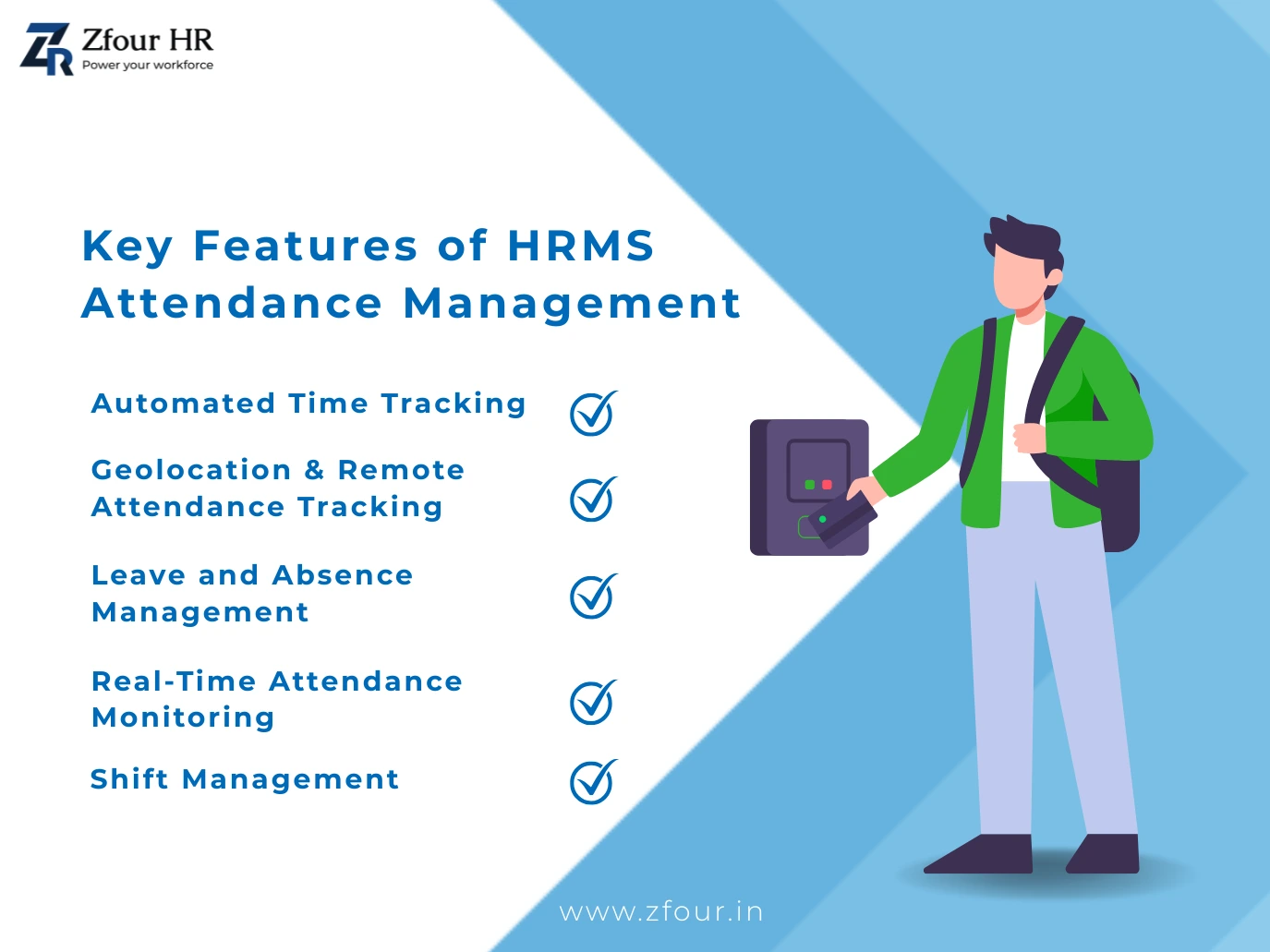
Managing employee attendance becomes increasingly difficult when HR teams rely on paper registers, spreadsheets, separate attendance devices, or disconnected systems.
Employees may work different shifts, report to different locations, or use different attendance methods. HR teams then have to collect attendance information, review exceptions, manage leave, and prepare information required for payroll.
An HRMS attendance system brings attendance management into a centralized HR environment.
Instead of treating attendance as an isolated administrative task, businesses can connect attendance with employee records, shifts, leave, payroll-related workflows, reporting, and employee self-service.
The result can be a more structured attendance process that reduces repetitive administrative work and gives employees and HR teams better visibility into attendance information.
Quick Answer: How Does an HRMS Attendance System Improve Employee Efficiency?
An HRMS attendance system can improve employee efficiency by reducing repetitive attendance administration and giving employees easier access to attendance-related information.
Depending on the system and configuration, it can support:
Automated check-in and check-out
Shift management
Leave workflows
Attendance regularization
Mobile attendance
Biometric attendance
Location-based attendance
Attendance reports
Payroll-related attendance workflows
Employee self-service
The exact capabilities depend on the HRMS, selected attendance methods, configuration, and company policies.
What Is an HRMS Attendance System?
An HRMS attendance system is a digital attendance-management module within a Human Resource Management System.
It allows organizations to manage employee attendance alongside other HR processes instead of maintaining attendance separately.
Depending on the system, attendance information can include:
Check-in time
Check-out time
Working hours
Shift
Leave
Attendance status
Overtime
Attendance corrections
Location information where location-based attendance is enabled
When connected with other HR workflows, attendance information can become part of a broader employee-management process.
Why Does Attendance Management Affect Employee Efficiency?
Attendance may appear to be a simple HR task, but inefficient attendance processes can create work for both employees and HR teams.
For example, employees may need to:
Report missing attendance
Ask HR about leave balances
Follow up on attendance corrections
Submit manual attendance records
Check whether their attendance was recorded correctly
At the same time, HR teams may need to:
Reconcile attendance records
Review late arrivals
Correct missing entries
Verify leave
Prepare reports
Provide attendance information for payroll
A centralized HRMS can help reduce some of this repetitive work.
For official guidance on working-hour and overtime regulations relevant to attendance policies, see the Ministry of Labour & Employment
1. Automated Attendance Reduces Repetitive Work
Manual attendance requires employees or HR teams to enter and maintain attendance information.
Digital attendance can automate parts of this process.
Depending on the configured attendance method, employees may record attendance through:
Web attendance
Mobile applications
Biometric devices
Location-based attendance
The system can then maintain the corresponding attendance record for authorized users.
This reduces the need for HR teams to repeatedly transfer attendance information between registers, spreadsheets, and other systems.
2. Faster Attendance Recording
Employees should be able to record attendance without unnecessary administrative steps.
A digital attendance system can provide a structured process for recording attendance according to the organization's rules.
For example:
Employee checks in → Attendance is recorded → Employee continues work
At the end of the working period:
Employee checks out → Attendance record is updated.
The exact workflow depends on the selected attendance method.
For ZFour's attendance login/logout process, see How ZFour Attendance Login and Logout System Works.
3. Shift Management Helps Organize Working Hours
Shift-based organizations can face additional attendance complexity.
Employees may work:
Morning shifts
Evening shifts
Night shifts
Rotating shifts
Different schedules by department
An HRMS can help organizations configure and manage employee shifts alongside attendance.
This can give employees and managers clearer information about expected working schedules.
It can also reduce confusion caused by maintaining shift assignments separately from attendance records.
4. Leave Management Can Work Alongside Attendance
Attendance and leave are closely connected.
When an employee is absent, HR may need to determine whether the absence is:
Approved leave
Unplanned absence
Holiday
Weekly off
Attendance exception
Connecting leave and attendance within the HRMS can make this information easier to review.
Employees can also have better visibility into their leave information where employee self-service is available.
For the ZFour leave workflow, see How to Apply for Leave in ZFour HRMS.
5. Attendance Regularization Can Reduce HR Back-and-Forth
Attendance mistakes happen.
An employee may forget to check in, forget to check out, experience a device problem, or encounter a technical issue.
A defined regularization workflow gives employees a structured way to report these issues.
Instead of repeatedly contacting HR through informal messages, employees can follow the organization's configured correction process.
For ZFour users, see How to Regularize Attendance in ZFour HRMS.
6. Mobile Attendance Supports Employees Outside the Office
Not every employee works from a fixed desk.
Field employees, sales teams, service teams, and other mobile workers may need to record attendance while working at approved locations.
Mobile attendance can provide a more practical method than a physical attendance terminal for these employees.
Where location-based attendance is configured, GPS or geo-fencing can provide additional location context.
For a detailed explanation, see ZFour Geo-Tracking Employee Attendance Management.
7. Biometric Attendance Adds an Identity-Verification Layer
Biometric attendance can be useful for fixed workplaces where employees regularly report to a designated location.
Depending on compatible hardware, biometric attendance may use:
Fingerprint recognition
Facial recognition
Other supported biometric methods
Biometric authentication can help associate an attendance event with the employee's enrolled credentials.
It should not, however, be described as completely eliminating attendance fraud or errors.
Read Biometric Attendance Integration with ZFour HRMS for more information.
8. Real-Time Attendance Visibility Helps Managers Respond Faster
An HRMS dashboard can give authorized managers and HR teams visibility into attendance information.
Depending on the system, this may include:
Present employees
Absent employees
Late arrivals
Early departures
Attendance exceptions
Department-level attendance
This can help managers identify attendance issues earlier instead of waiting for a manually prepared report.
Real-time visibility should not be confused with continuous employee monitoring. Attendance visibility and continuous location tracking are different concepts.
9. Attendance Reports Reduce Manual Reporting Work
HR teams often need attendance information for:
Monthly reports
Department reviews
Payroll inputs
Attendance audits
Management reporting
Workforce planning
An HRMS can generate structured attendance reports based on the available data and configured reporting capabilities.
This can reduce the need to manually consolidate information from multiple spreadsheets.
10. Attendance Integration Can Support Payroll Workflows
Attendance can provide important inputs for payroll.
Depending on company policy and system configuration, payroll-related attendance inputs may include:
Working days
Leave
Loss of pay
Overtime
Attendance-related deductions
When attendance and payroll workflows are connected, HR teams may spend less time manually transferring attendance information.
However, payroll should always be reviewed according to the organization's policies and applicable statutory requirements.
For a broader look at payroll management, see HR Payroll Software in India.
11. Employee Self-Service Gives Employees More Control
An HRMS can reduce routine HR queries by allowing employees to access selected information themselves.
Depending on the platform, employees may be able to:
View attendance
Check leave balances
Apply for leave
Submit attendance corrections
Access payslips
Review HR information
This can reduce unnecessary back-and-forth between employees and HR.
It can also give employees greater visibility into their own records.
12. Centralized Attendance Data Improves HR Visibility
When attendance information is stored across separate registers, spreadsheets, and devices, HR teams may need to combine information manually.
A centralized HRMS can bring relevant attendance information into one system.
This can make it easier for authorized users to review:
Employee attendance
Shifts
Leave
Overtime
Attendance exceptions
Reports
Centralization does not automatically guarantee data accuracy. Proper configuration, data quality, access controls, and review processes remain important.
HRMS Attendance System vs Manual Attendance
Factor | Manual Attendance | HRMS Attendance |
|---|---|---|
Attendance entry | Paper/register/spreadsheet | Digital methods |
Shift management | Often manual | System-based configuration |
Leave connection. | Separate process | Can be connected |
Attendance corrections | Informal/manual | Can use defined workflow |
Reporting | Manual consolidation | Digital reports |
Payroll inputs | Manual reconciliation may be required. | Can support connected workflows |
Employee visibility | Limited | Can be available through self-service |
Field attendance | Difficult to manage manually | Mobile/location methods may be available. |
Scalability | Increasingly difficult as teams grow | Can support larger workforces depending on the system |
The goal is not simply to replace paper with software.
The greater benefit comes from connecting attendance with the HR processes that depend on it.
How to Choose an HRMS Attendance System
Choosing the right system comes down to matching it against your actual workforce — not picking based on feature count alone. For the full evaluation framework covering workforce type, attendance methods, payroll integration, security, and scalability, see our complete guide to the best attendance management software in India.
Who Benefits Most From an HRMS Attendance System?
Growing Businesses
As employee numbers increase, spreadsheets and manual registers can become harder to manage.
Multi-Shift Organizations
Businesses with multiple schedules can benefit from centralized shift and attendance management.
Field Workforces
Mobile and location-based attendance can be useful for employees who work outside a fixed office.
Multi-Location Businesses
Centralized attendance reporting can help organizations manage employees across branches or worksites.
HR Teams Managing Payroll
Connected attendance and payroll workflows can reduce repetitive attendance reconciliation.
How ZFour HRMS Supports Attendance Management
ZFour HRMS provides attendance capabilities that can support different workforce requirements.
Depending on the organization's configuration, ZFour supports capabilities such as:
Attendance tracking
Mobile attendance
Biometric integration
GPS and geo-fencing
Shift management
Leave workflows
Attendance regularization
Attendance reporting
Employee self-service
Payroll-related attendance workflows
The exact capabilities available depend on the organization's selected configuration, attendance methods, integrations, and policies.
For a broader comparison, see Best Attendance Management Software in India.
Final Takeaway
An HRMS attendance system can make attendance management more structured by connecting employee attendance with shifts, leave, reporting, employee self-service, and payroll-related workflows.
The biggest advantage is not simply replacing a register with an application.
It is reducing fragmented HR work.
Instead of:
Attendance → Spreadsheet → HR Review → Payroll → Manual Reconciliation
Businesses can work toward a more connected process:
Attendance → HRMS → Leave/Shift Workflows → Payroll Inputs → Reports
The right configuration depends on how employees work, where they work, and which HR processes the organization needs to connect.
ZFour HRMS provides multiple attendance capabilities that can be configured for office, field, shift-based, and multi-location workforces.
Ready to Improve Attendance Management?
If your organization is still managing attendance through spreadsheets or disconnected systems, explore how ZFour HRMS can help create a more connected attendance workflow.

Farheen Ahmed
HR Tech Content Strategist at ZFour Technology Private Limited
Research-driven content on HRMS, payroll, attendance management, employee management, and modern HR technology for Indian businesses.