8 min read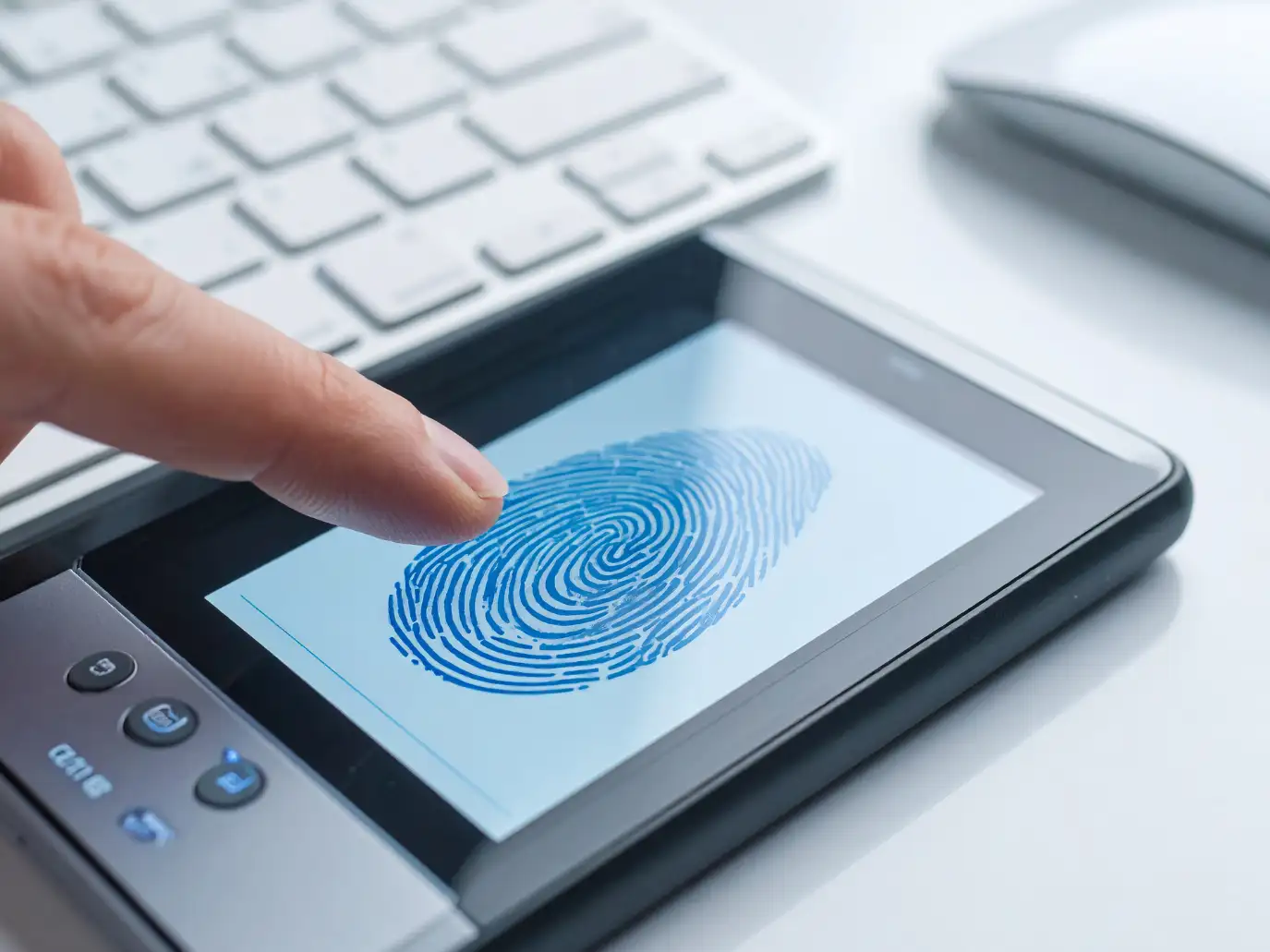
Managing attendance manually can become difficult as organizations grow, especially when employees work across different departments, shifts, offices, or branches.
A biometric attendance system can use employee-specific biometric credentials such as fingerprints or facial recognition to record attendance through compatible devices.
When biometric attendance is connected with an HRMS, attendance records can become part of a broader workflow involving HR administration, reporting, leave, and payroll processes.
ZFour HRMS supports biometric attendance integration with compatible biometric hardware, allowing organizations to connect attendance devices with their HRMS environment. The exact devices, authentication methods, and data workflows depend on the organization's configuration.
This guide explains how biometric attendance works, how integration with ZFour HRMS can be structured, what businesses should evaluate before implementation, and how biometric attendance differs from other attendance methods.
Quick Answer: What Is Biometric Attendance Integration?
Biometric attendance integration connects a biometric attendance device with an HRMS so that attendance records captured through the device can be transferred into the organization's attendance system.
A typical workflow is
Employee enrollment → Biometric authentication → Attendance recorded → Data transferred to HRMS → Authorized HR review and reporting
Depending on the device and ZFour HRMS configuration, biometric authentication may use methods such as:
Fingerprint recognition
Facial recognition
Other supported biometric methods
The exact hardware and integration workflow should be confirmed with the organization's ZFour implementation team.
What Is a Biometric Attendance System?
A biometric attendance system uses a person's biometric characteristics to authenticate their identity when recording attendance.
Common biometric methods include
Fingerprint recognition
Facial recognition
Iris recognition
Other supported biometric technologies
Unlike a manual attendance register, biometric attendance associates the attendance event with an authentication method based on the employee's enrolled biometric credentials.
This can provide an additional identity-verification layer for organizations where employees regularly report to a fixed workplace.
How Does Biometric Attendance Work?
A typical biometric attendance process involves several stages.
1. Employee Enrollment
Employees are first enrolled in the compatible biometric device or system.
Depending on the technology, enrollment may involve registering a fingerprint, facial template, or another supported biometric credential.
The organization should establish appropriate procedures for enrollment, access, and data handling.
2. Employee Authentication
When the employee arrives at the workplace, they authenticate using the configured biometric method.
For example, an employee may place a finger on a fingerprint scanner or use a supported facial-recognition system.
3. Attendance Event Is Recorded
Once authentication is completed according to the device's configured rules, the attendance event can be recorded.
This may include information such as
Employee identifier
Date
Login time
Device information
Attendance event
The exact information depends on the device and integration.
4. Attendance Data Is Transferred
Compatible biometric devices can transfer attendance information to the connected HRMS environment.
Depending on the implementation, this may happen automatically when the device and system are connected.
5. HRMS Processes the Attendance Record
The attendance information can then become part of the organization's HRMS attendance workflow.
Authorized users can use the available attendance information for relevant reporting and HR processes.
How Biometric Attendance Integrates with ZFour HRMS
ZFour HRMS provides biometric integration capabilities for organizations that want to connect compatible biometric hardware with their HRMS.
The general workflow can be represented as
Biometric Device → Attendance Event → Data Transfer → ZFour HRMS → Attendance Records → HR Workflows
ZFour's biometric solution describes direct synchronization between compatible fingerprint or facial-recognition hardware and the HRMS.
The exact integration method depends on the biometric hardware, connectivity, configuration, and implementation requirements.
What Are the Benefits of Biometric Attendance Integration?
More Structured Attendance Recording
Biometric authentication can provide a consistent method for recording attendance at workplaces where compatible devices are installed.
Reduced Manual Attendance Entry
When attendance data is transferred into the HRMS, HR teams may spend less time manually entering attendance records.
Identity-Based Authentication
Biometric authentication can make it more difficult for one employee to simply record attendance on behalf of another compared with an attendance method that relies only on manual entry.
However, biometric attendance should not be described as completely eliminating attendance fraud or errors.
Centralized Attendance Visibility
When biometric data is integrated with an HRMS, authorized HR and management users can have access to attendance information through the relevant system.
Support for Payroll Workflows
Attendance records can support payroll-related processes where the appropriate ZFour HRMS configuration and integration are enabled.
The exact payroll treatment depends on the organization's attendance rules and payroll setup.
Useful for Fixed Workplaces
Biometric attendance can be particularly useful for:
Offices
Manufacturing units
Warehouses
Institutions
Branch offices
Other fixed workplaces
Biometric Attendance vs Manual Attendance
Factor | Manual Attendance | Biometric Attendance |
|---|---|---|
Identity verification | Limited | Biometric authentication |
Attendance recording | Manual | Device-based |
Data entry | Often manual | Can be transferred digitally |
Proxy-attendance risk | Higher | Can be reduced |
Reporting | May require manual preparation | Can be available through HRMS |
HR workload | Higher for manual processes | Can reduce repetitive entry |
Fixed workplace suitability | Suitable | Particularly suitable |
Neither method is automatically right for every organization.
The appropriate solution depends on workforce size, workplace structure, existing hardware, attendance policies, and HRMS requirements.
Biometric Attendance vs Mobile Attendance
Biometric attendance is generally associated with a physical attendance device, while mobile attendance uses a smartphone or mobile application.
Factor | Biometric Attendance | Mobile Attendance |
|---|---|---|
Primary device | Biometric terminal | Smartphone |
Authentication | Fingerprint/face or supported biometric | App-based attendance method |
Fixed office | Highly suitable | Suitable depending on policy |
Field employees | Less practical in many cases | Often more practical |
Location-based attendance | Not inherent | Can support GPS/geo-fencing where configured |
Hardware requirement | Compatible biometric device | Compatible smartphone |
Best use case | Fixed workplaces | Mobile/distributed teams |
Organizations with different workforce types may use different attendance methods for different employee groups.
For location-based attendance, see the ZFour Geo-Tracking Employee Attendance Management article.
When Should a Business Choose Biometric Attendance?
Biometric attendance can be worth evaluating when:
Employees regularly work from a fixed location
The organization already uses compatible biometric hardware
Physical identity verification is important
HR wants to reduce manual attendance entry
Multiple employees need to record attendance at the same workplace
Attendance needs to connect with a broader HRMS workflow
It may be less suitable as the primary method for employees who rarely visit a fixed workplace.
Field and mobile employees may require GPS, geo-fencing, or mobile attendance instead.
What Should Businesses Check Before Integrating Biometric Attendance?
Choosing the device is only one part of implementation.
Hardware Compatibility
Confirm that the biometric device is compatible with the required ZFour HRMS integration.
Authentication Method
Determine whether the organization needs:
Fingerprint
Facial recognition
Another supported biometric method
Connectivity
Check how the device communicates with the HRMS environment and what happens when connectivity is temporarily unavailable.
Employee Enrollment
Establish a consistent process for employee enrollment and credential management.
Attendance Rules
Define:
Login rules
Logout rules
Shift timings
Late attendance
Early departure
Overtime
Attendance corrections
Access Controls
Determine which HR, manager, and administrator roles can access attendance records and related information.
Data Handling
Biometric information requires careful handling. Organizations should establish appropriate policies for collection, access, storage, retention, and deletion according to applicable requirements.
For organizations operating in India, the Digital Personal Data Protection Act, 2023 is an official reference for the country's personal data protection framework.
What Happens When a Biometric Device Cannot Recognize an Employee?
Biometric recognition may occasionally fail.
Possible reasons can include:
Dirty scanner surface
Fingerprint condition
Device limitations
Enrollment quality
Environmental conditions
Hardware or connectivity issues
Organizations should have a defined fallback or attendance-correction procedure.
Depending on the compatible device and configuration, an alternative authentication method may be available.
Employees should know what to do when biometric authentication does not work rather than creating an informal attendance process.
How Biometric Attendance Can Support HR Workflows
Once attendance information is available in the HRMS, it can support several related processes.
Attendance Management
HR teams can review attendance records, working times, and applicable attendance exceptions.
Shift Management
Attendance records can be considered alongside employee shift assignments and schedules.
Leave Management
Attendance and leave information can be reviewed together when evaluating attendance records.
Payroll
Attendance information can support payroll calculations where the relevant configuration and integration are enabled.
Reporting
HR teams can use available attendance reports to review workforce attendance patterns.
For broader attendance-management guidance, see How Admins Can Master Attendance Management Easily.
How ZFour HRMS Supports Biometric Attendance Integration
ZFour HRMS provides biometric integration capabilities designed to connect compatible biometric hardware with the HRMS.
Depending on the organization's implementation, the workflow can support:
Biometric attendance capture
Attendance data synchronization
Centralized attendance visibility
Attendance reporting
Related HR workflows
Payroll-related attendance processing where configured
ZFour's biometric attendance solution specifically describes integration with fingerprint and facial-recognition hardware and centralized attendance visibility.
The exact capabilities available to a business depend on its selected hardware, configuration, and implementation.
Biometric Attendance for Different Business Types
Offices
Biometric attendance can be useful where employees regularly enter and leave a fixed office.
Manufacturing Units
Fixed-site employees can use biometric devices at designated entry or attendance points.
Warehouses
Biometric attendance can provide an organized way to record attendance for warehouse employees working scheduled shifts.
Multi-Branch Businesses
Organizations with several branches can evaluate centralized HRMS reporting and compatible device integration.
Educational Institutions
Institutions with fixed staff locations may consider biometric attendance as part of their employee attendance process.
The appropriate configuration should always be based on the organization's actual workforce and attendance policy.
Biometric Attendance Implementation Checklist
Before deployment, review the following:
Area | What to Check | |
|---|---|---|
Hardware | Device compatibility | |
Enrollment | Employee biometric registration | |
Connectivity | Device-to-system communication | |
Attendance rules | Login, logout, and shift rules | |
Access | HR and administrator permissions | |
Data | Collection, access, and retention practices | |
Fallback | Process for recognition failures | |
Integration | Attendance and relevant HR workflows | |
Testing | Device and system testing before rollout | |
Training | Employee and administrator instructions |
A structured implementation can make the transition easier for both employees and HR teams.
Final Takeaway
Biometric attendance can provide a structured way to authenticate employees and record attendance at fixed workplaces.
When compatible biometric hardware is connected with an HRMS, attendance information can become part of a broader workflow for attendance management, reporting, and other HR processes.
However, the right attendance method depends on the workforce.
Biometric attendance can suit fixed workplaces.
Mobile attendance can be more practical for field teams.
Geo-fencing can support location-based attendance requirements.
ZFour HRMS can connect compatible biometric attendance hardware with broader HR workflows, subject to the organization's selected configuration and implementation.
Ready to Integrate Biometric Attendance with ZFour HRMS?
If your organization uses or plans to use biometric attendance devices, explore how ZFour HRMS can support biometric attendance integration and related HR workflows.
Book a ZFour HRMS demo to discuss your biometric attendance requirements.

Farheen Ahmed
HR Tech Content Strategist at ZFour Technology Private Limited
Research-driven content on HRMS, payroll, attendance management, employee management, and modern HR technology for Indian businesses.